Implementation of the GUI part of the Maze Game for ATP course in SISE department of BGU University.
In this final part of the project I have implemented a GUI using JavaFX. With a MVVM desighn pattern that separates the view from the backend logic and multithreading this this game allows the user to play a dynamic game with sound.
The backend logic for creating and solving mazes using a multi-threaded version of client-server is a .jar file in this project. It's intire implementation can be found here: ATP-Project
The project was written using:
- Java JDK-15
- JavaFX 16
- SceneBuilder
As a user in this can you can do the following:
- Generate a maze row and column sizes of your liking.
- Solve that maze and be presented with the solution from the starting position.
- Save and load mazes ro and from the disk, if you wish to save the challenge for another time.
- Change cofiguration of: active thread number in the thread-pool, search algorithm for the maze solver.
- Initiate and stop music
First make sure you have an updated version of JavaFX installed on your computer. The following steps are required before launching the game for the first time.
- Download the entire project
- Open it from your favorite IDE (Intellij recommended)
- If you're using Intellij - make sure to follow these steps to configure the JavaFX with Intellij: how to configure JavaFX with Intellij
- Run and enjoy!
ScreenShots
-
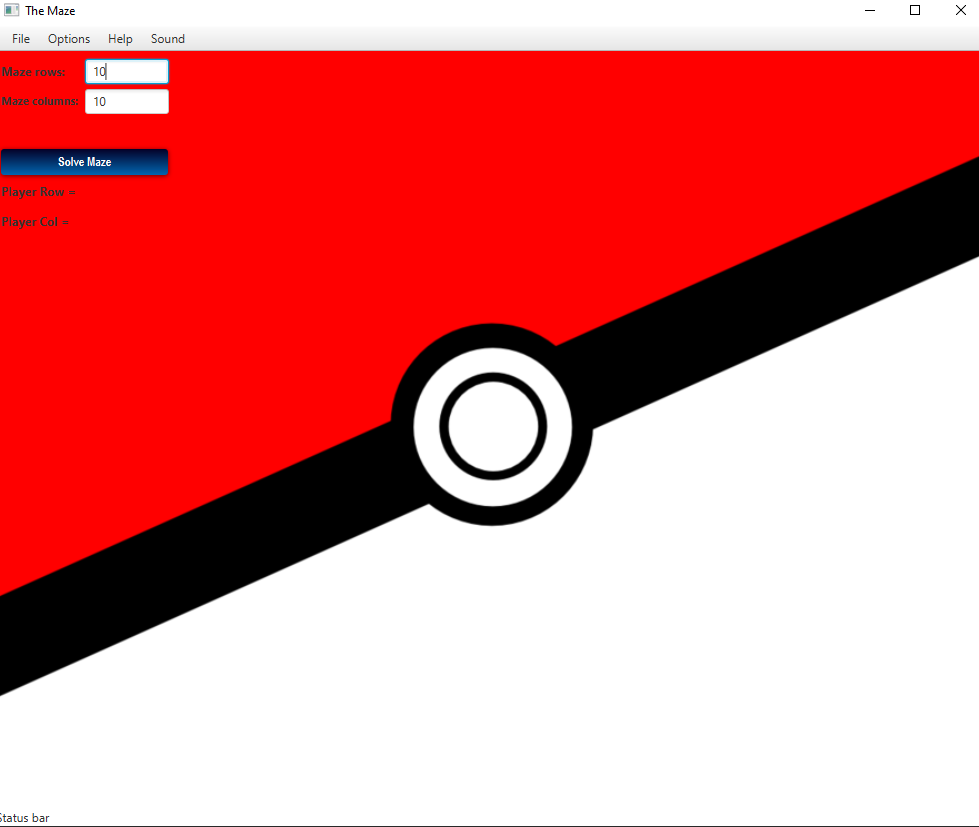
Game Initialization
-
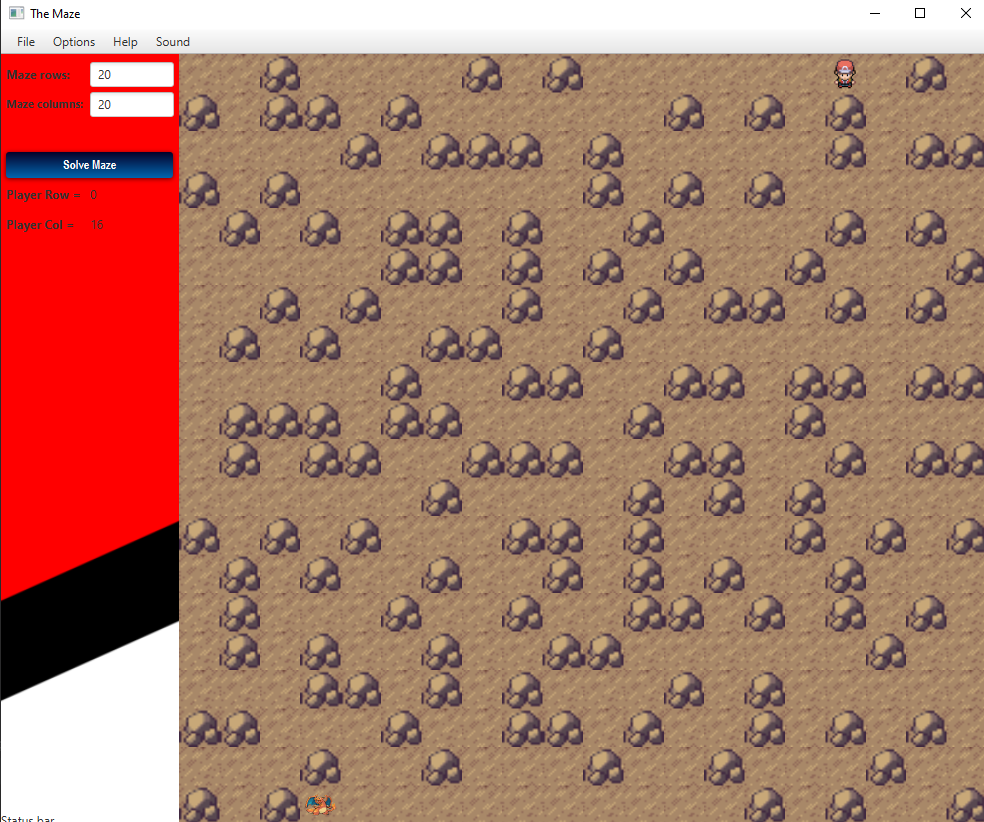
Maze Generated
-
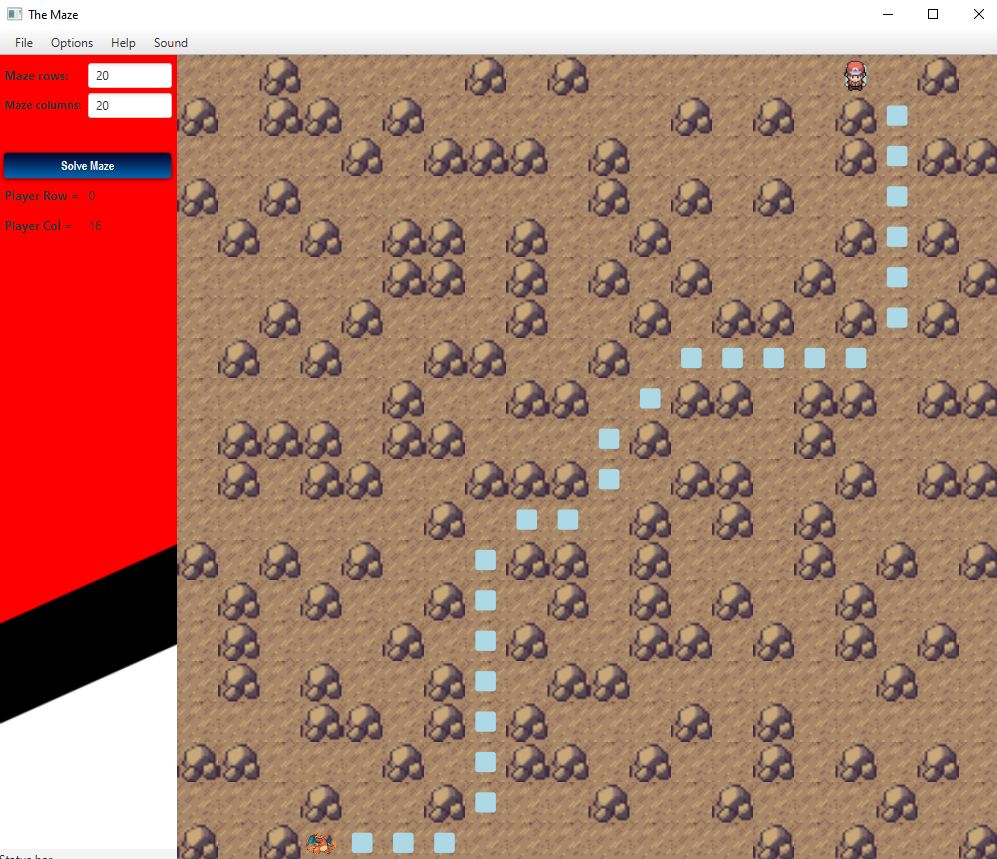
Maze Solved
-
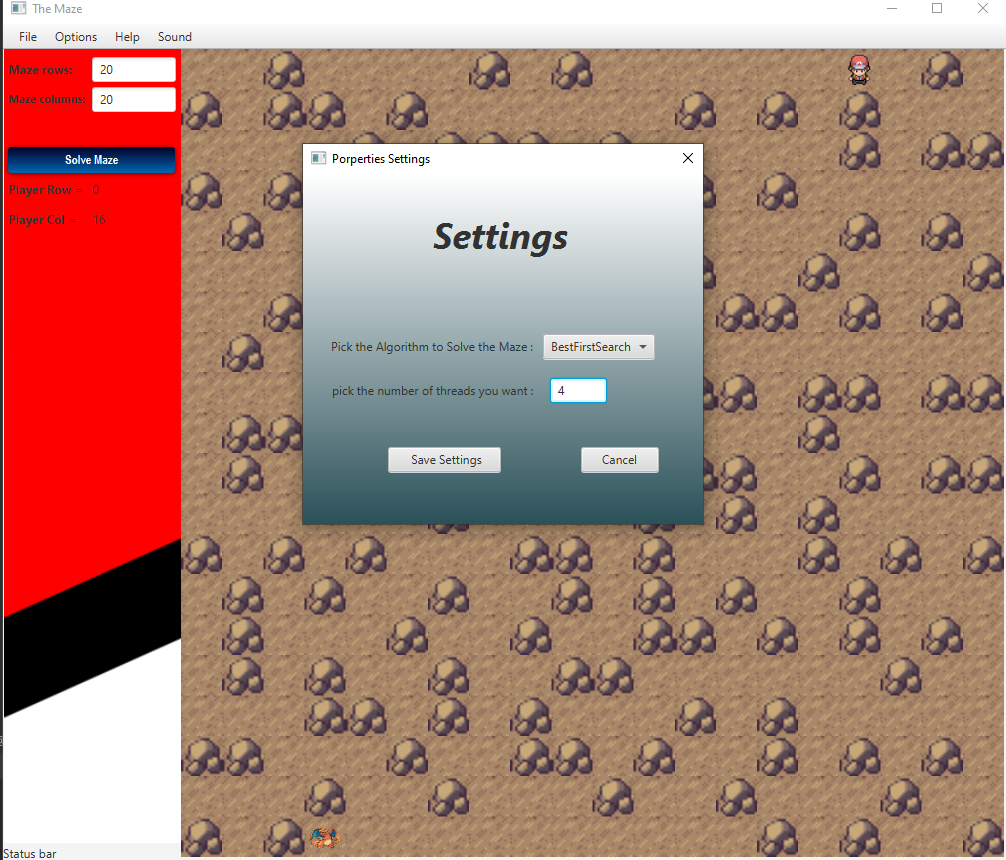
Configurations