Your dotfiles are how you personalize your system. These are mine.
This project is forked from holman does dotfiles. I have personalized them to my liking and added few plugins & automations. If you're interested in the philosophy behind why projects like these are awesome, you might want to read holman's post on the subject.
Everything's built around topic areas. If you're adding a new area to your
forked dotfiles — say, "Java" — you can simply add a java directory and put files in there. Anything with an extension of .zsh will get automatically included into your shell. Anything with an extension of .symlink will get symlinked without extension into $HOME when you run script/bootstrap. Similarly an extension of .configsymlink will get symlinked to $HOME/.config.
A lot of stuff. Check them out. Fork it, remove what you don't use, and build on what you do use. To name a few,
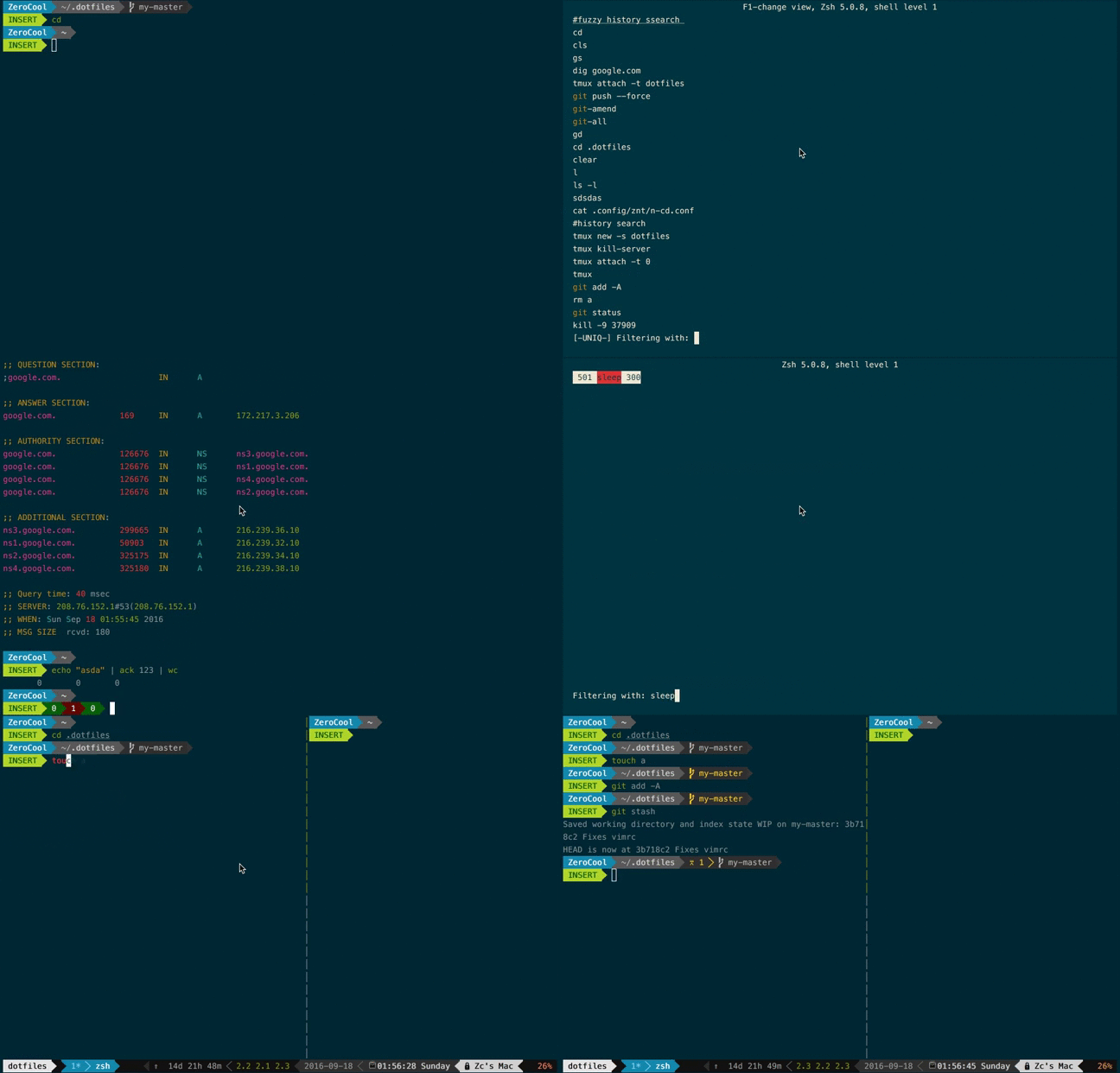
- Powerline: awesome python based zsh prompt, tmux & vim status bar.
- Zsh plugins : zsh-autosuggestions, zsh-syntax-highlighting, zsh-navigation-tools, zsh-completions
There's a few special files in the hierarchy.
- bin/: Anything in
bin/will get added to your$PATHand be made available everywhere. - Brewfile: This is a list of applications for Homebrew Cask to install: things like Chrome and 1Password and Adium and stuff. Might want to edit this file before running any initial setup.
- topic/*.zsh: Any files ending in
.zshget loaded into your environment. - topic/path.zsh: Any file named
path.zshis loaded first and is expected to setup$PATHor similar. - topic/completion.zsh: Any file named
completion.zshis loaded last and is expected to setup autocomplete. - topic/*.configsymlink: Any files ending in
*.configsymlinkget symlinked into your$HOME/.config. - topic/*.symlink: Any files ending in
*.symlinkget symlinked into your$HOME. This is so you can keep all of those versioned in your dotfiles but still keep those autoloaded files in your home directory. These get symlinked in when you runscript/bootstrap.
Run this:
git clone https://github.com/prasanthkrishnan/dotfiles.git ~/.dotfiles
cd ~/.dotfiles
script/bootstrap
This will symlink the appropriate files in .dotfiles to your home directory.
Everything is configured and tweaked within ~/.dotfiles.
dot is a simple script that installs some dependencies, sets sane macOS
defaults, and so on. Tweak this script, and occasionally run dot from
time to time to keep your environment fresh and up-to-date. You can find
this script in bin/.
I forked Zach Holman' excellent dotfiles. This repository is just my personalization over his project.