
An alternate styleguide navigation for http://patternlab.io
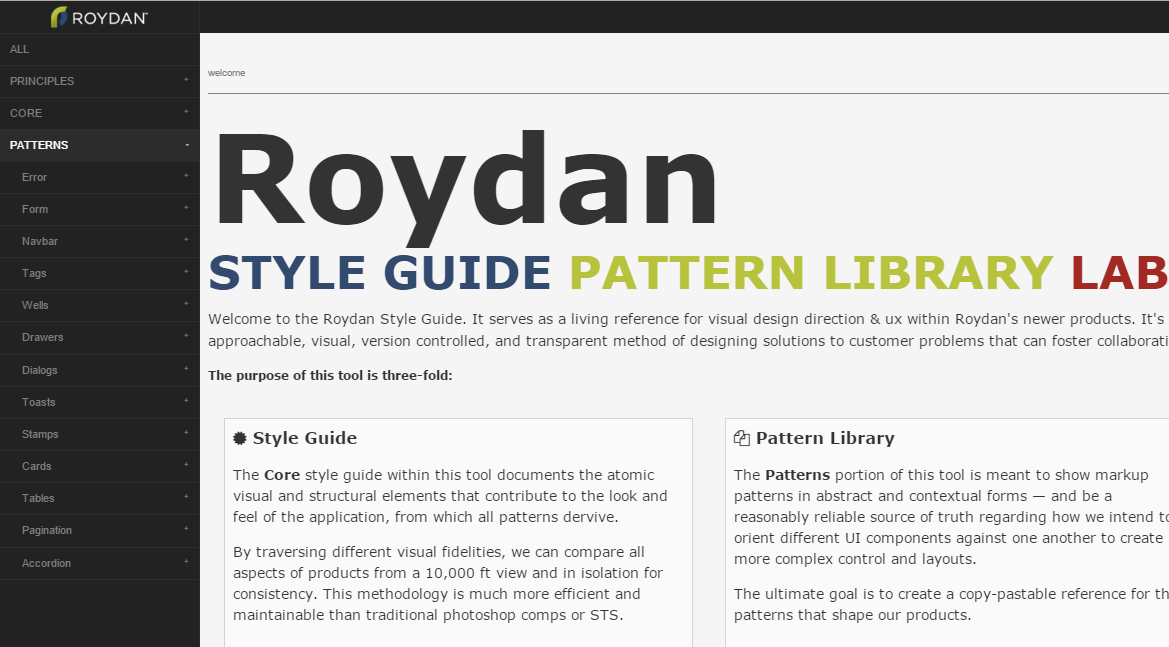
This alternate styleguide is still a work in progress.
It works for Pattern Lab Node and has yet to be tested with Pattern Lab PHP.
Assumes a fresh or stable install of Pattern Lab and all its dependencies.
- The simplest way to swap out the styleguide navigation is to completely replace the directory. Find the location of your current styleguide code.
- As of Pattern Lab Node 1.1.0, this is defaulted to
./core/styleguide/, unless you remapped it using thepathsobject inside./config.json - Prior versions housed
styleguide/directly in./public/
- Overwrite the
styleguidedirectory with thestyleguide/directory from this repository - Find
./source/_patternlab-files/index.mustacheand overwrite it with the contents ofindex.mustachein this repository. - Optionally: If you'd like your logo displayed above the navigation like the screenshot shows, do the following:
-
Find
./source/_patternlab-files/partials/patternNav.mustache -
Add the following block after line 1, just inside
<ol class="sg-nav">:<li> <img src="https://placeholdit.imgix.net/~text?txtsize=15&txt=logo&w=200&h=40" style="margin: 0 auto; display: block; height: 2em; padding: 5px;" alt="Styleguide logo"/> </li>
-
Add your logo url and style as needed.
-
If you like, move
<li><a href="styleguide/html/styleguide.html" class="sg-pop" data-patternpartial="all">All</a></li>after your logo entry, or make the logo your link to all patterns.-
Something like:
<li>
  <a href="styleguide/html/styleguide.html" class="sg-pop" data-patternpartial="all">
    <img src="https://placeholdit.imgix.net/~text?txtsize=15&txt=logo&w=200&h=40" style="margin: 0 auto; display: block; height: 2em;"/>
  </a>
</li>
-