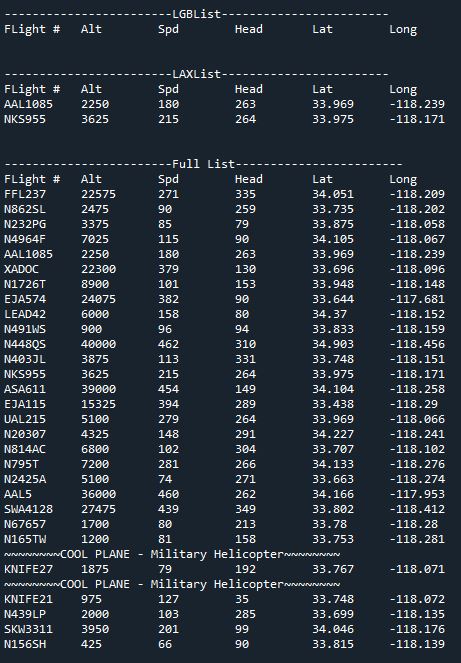
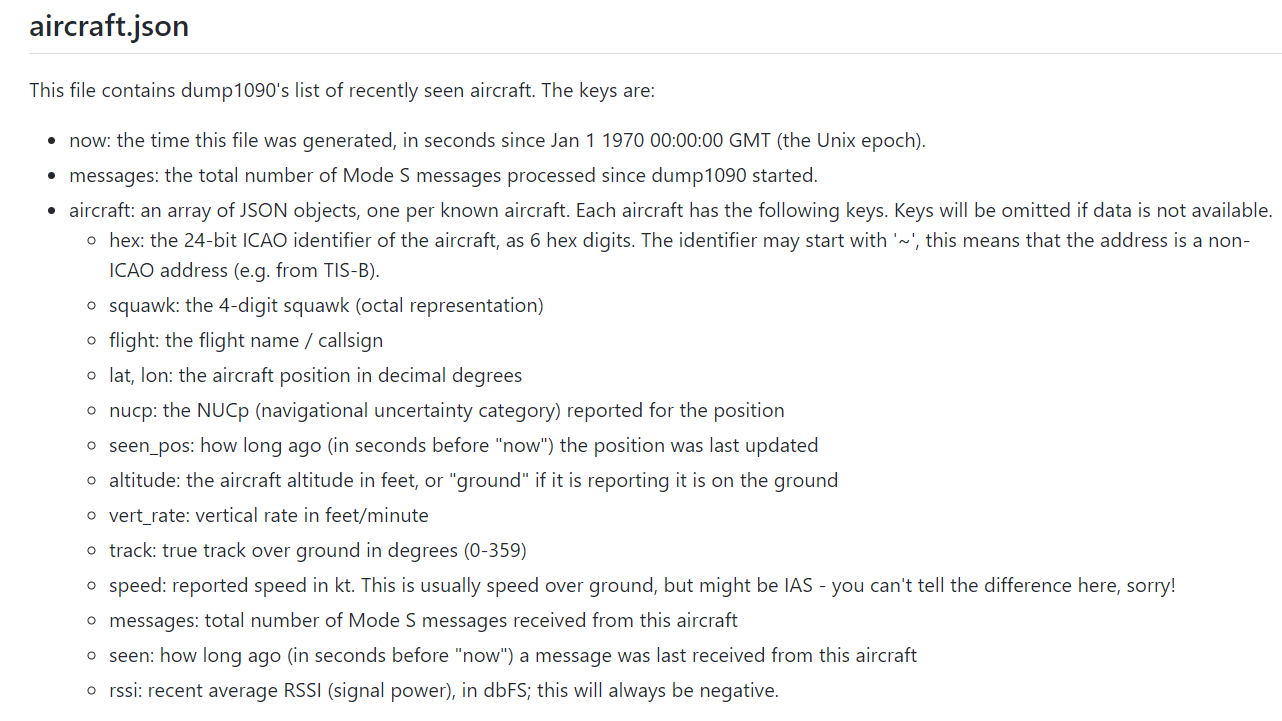
ADS-B Out works by broadcasting information about an aircraft's GPS location, altitude, ground speed and other data to ground stations and other aircraft, once per second. Air traffic controllers and aircraft equipped with ADS-B In can immediately receive this information. This offers more precise tracking of aircraft compared to radar technology, which sweeps for position information every 5 to 12 seconds.

A- = Unspecified powered aircraft
A1 = Light (< 15 500 lbs.)
A2 = Small (15 500 to 75 000 lbs.)
A3 = Large (75 000 to 300 000 lbs.)
A4 = High Vortex Large(aircraft such as B-757)
A5 = Heavy (> 300 000 lbs.)
A6 = High Performance ( > 5 g acceleration and > 400kts)
A7 = Rotorcraft
B- = Unspecified unpowered aircraft or UAV or spacecraft
B1 = Glider/sailplane
B2 = Lighter-than-Air
B3 = Parachutist/Skydiver
B4 = Ultralight/hang-glider/paraglider
B5 = Reserved
B6 = Unmanned Aerial Vehicle
B7 = Space/Trans-atmospheric vehicle
C- = Unspecified ground installation or vehicle
C1 = Surface Vehicle - Emergency Vehicle
C2 = Surface Vehicle - Service Vehicle
C3 = Fixed Ground or Tethered Obstruction
from guizero import App, Drawing

a = App(width = 370, height=700)

# create drawing object
d = Drawing(a, width="fill", height="fill")
d.bg = "light blue"

# draw the shapes
d.rectangle(10, 10, 60, 60)
d.rectangle(70, 10, 120, 60, color="yellow")
d.rectangle(130, 10, 180, 60, color="yellow", outline=True)
d.rectangle(190, 10, 240, 60, color="yellow", outline=5)
d.rectangle(250, 10, 300, 60, color="yellow", outline=5, outline_color="green")
d.rectangle(310, 10, 360, 60, color=None, outline=5, outline_color="red")

d.oval(10, 100, 60, 150)
d.oval(70, 100, 120, 200, color="yellow")
d.oval(130, 100, 240, 150, color="yellow", outline=True)
d.oval(130, 160, 240, 210, color="yellow", outline=5)
d.oval(250, 100, 300, 150, color="yellow", outline=5, outline_color="green")
d.oval(310, 100, 360, 150, color=None, outline=5, outline_color="red")

d.line(10, 250, 60, 250)
d.line(70, 250, 120, 250, color="yellow")
d.line(130, 250, 240, 250, width=5)
d.line(250, 250, 300, 250, width=5, color="green")
d.line(310, 250, 360, 250, width=5, color="red")

d.polygon(10, 300, 60, 300, 40, 350, 10, 350)
d.polygon(70, 300, 120, 300, 100, 350, 70, 350, color="yellow")
d.polygon(130, 300, 180, 300, 160, 350, 130, 350, color="yellow", outline=True)
d.polygon(190, 300, 240, 300, 220, 350, 190, 350, color="yellow", outline=5)
d.polygon(250, 300, 300, 300, 280, 350, 250, 350, color="yellow", outline=5, outline_color="green")
d.polygon(310, 300, 360, 300, 340, 350, 310, 350, color=None, outline=5, outline_color="green")

d.triangle(10, 400, 60, 400, 10, 450)
d.triangle(70, 400, 120, 400, 70, 450, color="yellow")
d.triangle(130, 400, 180, 400, 130, 450, color="yellow", outline=True)
d.triangle(190, 400, 240, 400, 190, 450, color="yellow", outline=5)
d.triangle(250, 400, 300, 400, 250, 450, color="yellow", outline=5, outline_color="green")
d.triangle(310, 400, 360, 400, 310, 450, color=None, outline=5, outline_color="green")

d.image(10, 500, "guizero.png", width=350, height=100)

d.text(10, 600, "guizero")
d.text(110, 600, "guizero", font="times new roman")
d.text(210, 600, "guizero", size=24)
d.text(10, 650, "this is a some text which goes over the width and is wrapped", font="arial", size=16, max_width=350)

a.display()
Use "Rasberry Pi Imager", install OS Lite. Configure SSH and WiFi in tool
Usual updates
sudo apt-get update && sudo apt-get upgrade -y
sudo apt-get install git-core -y
sudo apt-get install git -y
sudo apt-get install cmake -y
sudo apt-get install libusb-1.0-0-dev -y
sudo apt-get install build-essential -y
sudo apt-get install libncurses5-dev -y
sudo apt-get update && sudo apt-get upgrade -y
sudo apt-get install librtlsdr0 -y
RTL USB driver install
git clone git://git.osmocom.org/rtl-sdr.git
cd rtl-sdr
mkdir build
cd build
cmake ../ -DINSTALL_UDEV_RULES=ON
make
sudo make install
sudo ldconfig
Set permissions
cd ~
sudo cp ./rtl-sdr/rtl-sdr.rules /etc/udev/rules.d/
sudo reboot
Blacklist so OS doesn't take control
cd /etc/modprobe.d
sudo nano no-rtl.conf
Add these lines
blacklist dvb_usb_rtl28xxu
blacklist rtl2832
blacklist rtl2830
Test
rtl_test
Install Dump1090
cd Desktop
sudo git clone https://github.com/flightaware/dump1090
cd dump1090
sudo make
Reboot
sudo mkdir /home/pi/Desktop/JSONfolder/
sudo reboot
Run the program
cd dump1090
./dump1090 --interactive
./dump1090 --interactive --net
Trouble Shooting
~/Desktop/dump1090/dump1090 --net --interactive

cd ~
cd ~/Desktop/
sudo git clone https://github.com/ryanredbaron/Python_SDR_Tracking

cd ~/Desktop/Python_SDR_Tracking/;sudo git pull --all;DISPLAY=:0 python3 ~/Desktop/Python_SDR_Tracking/PiZeroTrack/PiZeroTrack.py

sudo killall python3