- Overview
- Team
- Planning Resources
- Set Up
- Learning Goals
- Technologies
- Features
- Challenges
- Wins
- Future Additions
https://turing-selector.herokuapp.com/
Selector is a web application that seamlessly connects your Discogs vinyl purchasing experience with the convenient streaming capabilities of Spotify. Users can discover, browse, save, and sample their (soon-to-be) favorite music. This Cypress-tested, multi-page user-interface was built using React, React Router, JavaScript, HTML, CSS, and ApolloClient; integrated using Travis CI and depolyed on Heroku.
FE Team:
BE Team: View the BE repo here
Clone down this repository to your local machine:
git clone git@github.com:selector-turing/front_end.git
Then npm install the following dependencies:
@material-ui/core
@material-ui/icons
@material-ui/lab
To start application, run:
npm start
After a successful compilation, the application is running and the app can be veiwed at http://localhost:3000/ in your browser.
- Demonstrate knowledge you’ve gained throughout Turing
- Use an agile process to turn well defined requirements into deployed and production ready software
- Gain experience dividing applications into components and domains of responsibilities to facilitate multi-developer teams. Service oriented architecture concepts and patterns are highly encouraged.
- Explore and implement new concepts, patterns, or libraries that have not been explicitly taught while at Turing
- Practice an advanced, professional git workflow using Git Rebase
- Gain experience using continuous integration tools to build and automate the deployment of features
- Build applications that execute in development, test, CI, and production environments
- Focus on communication between front-end and back-end teams in order to complete and deploy features that have been outlined by the project spec








With GraphQL & ApolloClient
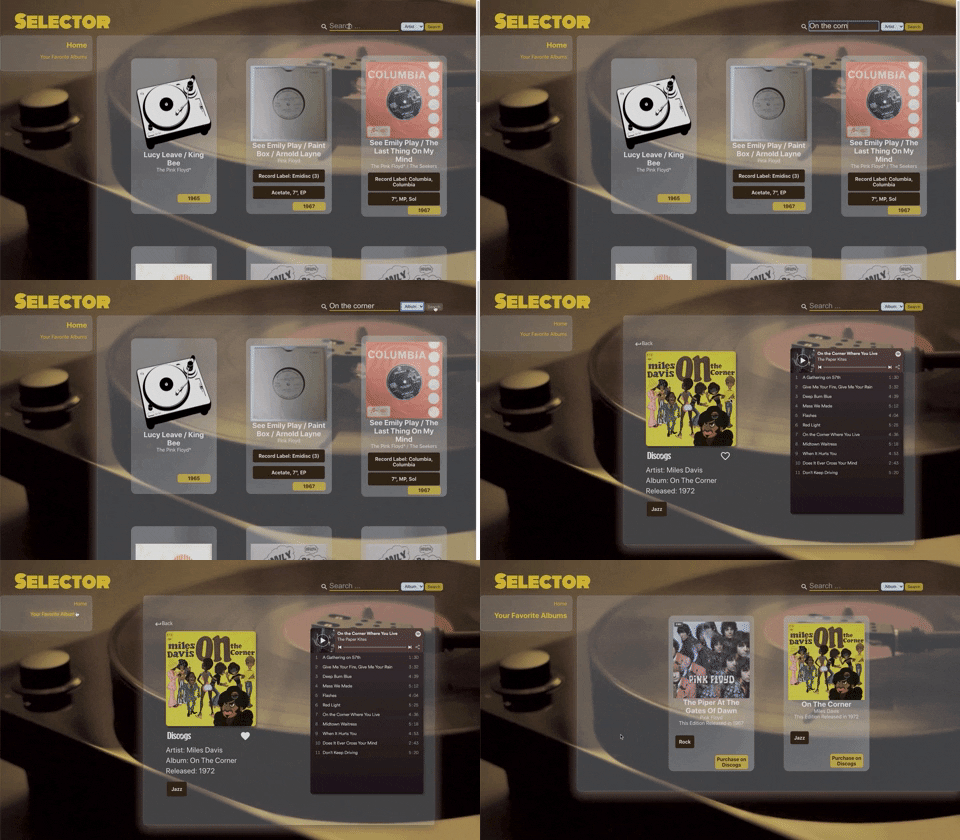
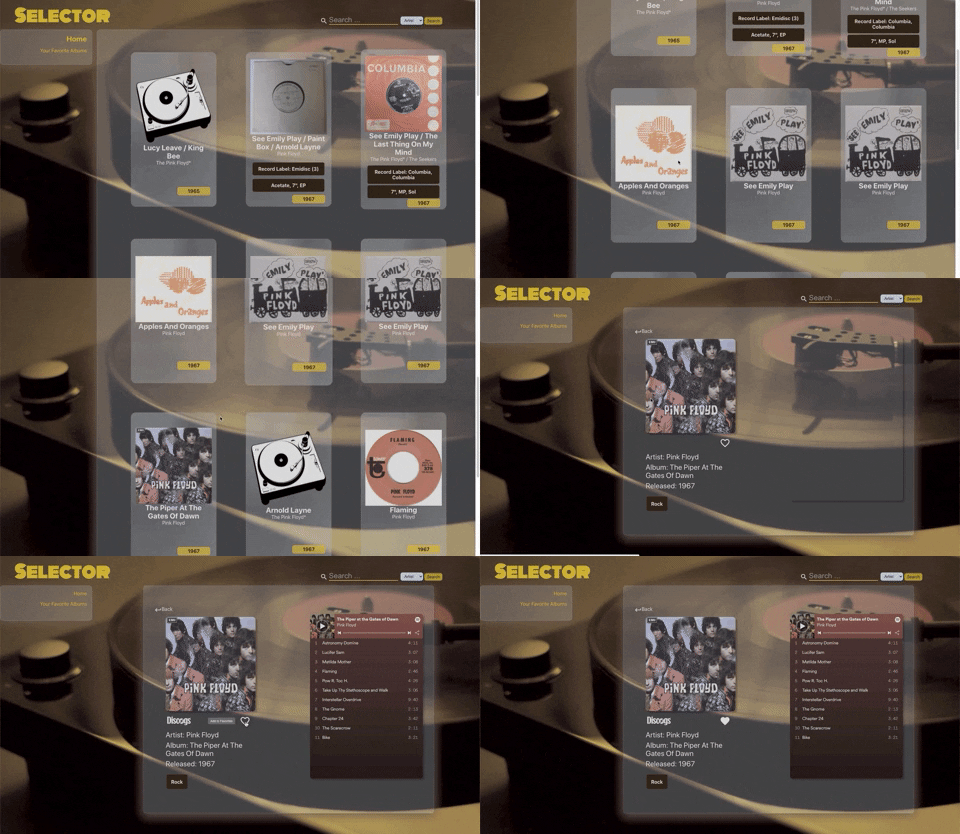
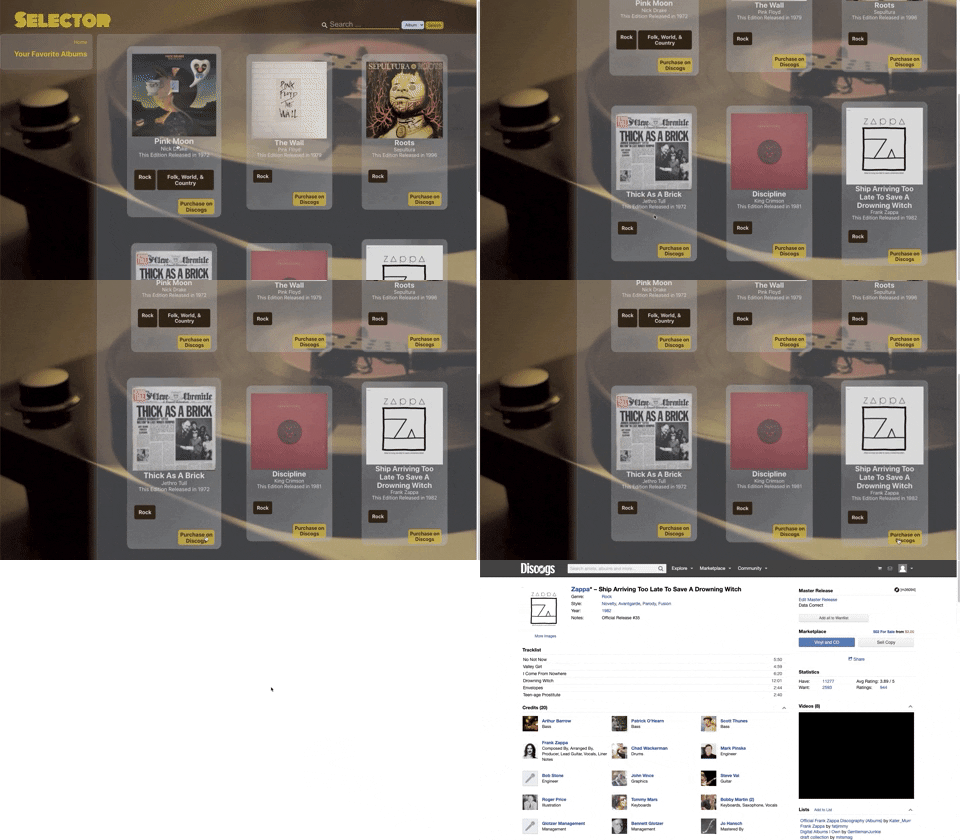

- Familiarizing ourselves with the relationship between GraphQL and ApolloClient
- Failed builds with Travis CI caused by API request delimiting
- Adapting to the Git Rebase workflow
- State and UI synchronization with regards to the application's favoriting feature
- Disrupted flow of work caused by network request limitations from the source Discogs API
- Album objects without unique title matches yields unexpected results
- Successfully submitting requests to ApolloClient
- Overcoming failing Travis CI builds
- A user can add favorite albums to a non-local database.
- A user can display all of their favorite albums in alignment with the non-local database.
- Utilizing the non-local database to keep GSM throughout the cache
- Additional media types to consume music (YouTube, Shazam, SoundCloud, a ticket selling API for live concerts)
In the spirit of collaboration, things done together are better than done on our own. If you have any amazing ideas or contributions on how we can improve this API they are greatly appreciated. To contribute:
- Fork the Project
- Create your Feature Branch (
git checkout -b feature/AmazingFeature) - Commit your Changes (
git commit -m 'Add some AmazingFeature') - Push to the Branch (
git push origin feature/AmazingFeature) - Open a Pull Request
See the open issues for a list of proposed features (and known issues). Please open an issue ticket if you see an existing error or bug.