-
完成中使用的仓库thdlrt/JavaRougerLikeGame: rougerLike game made by Java with LibGDX. (github.com),在完成之后才推送到罪业仓库。可以在原仓库查看推送记录
-
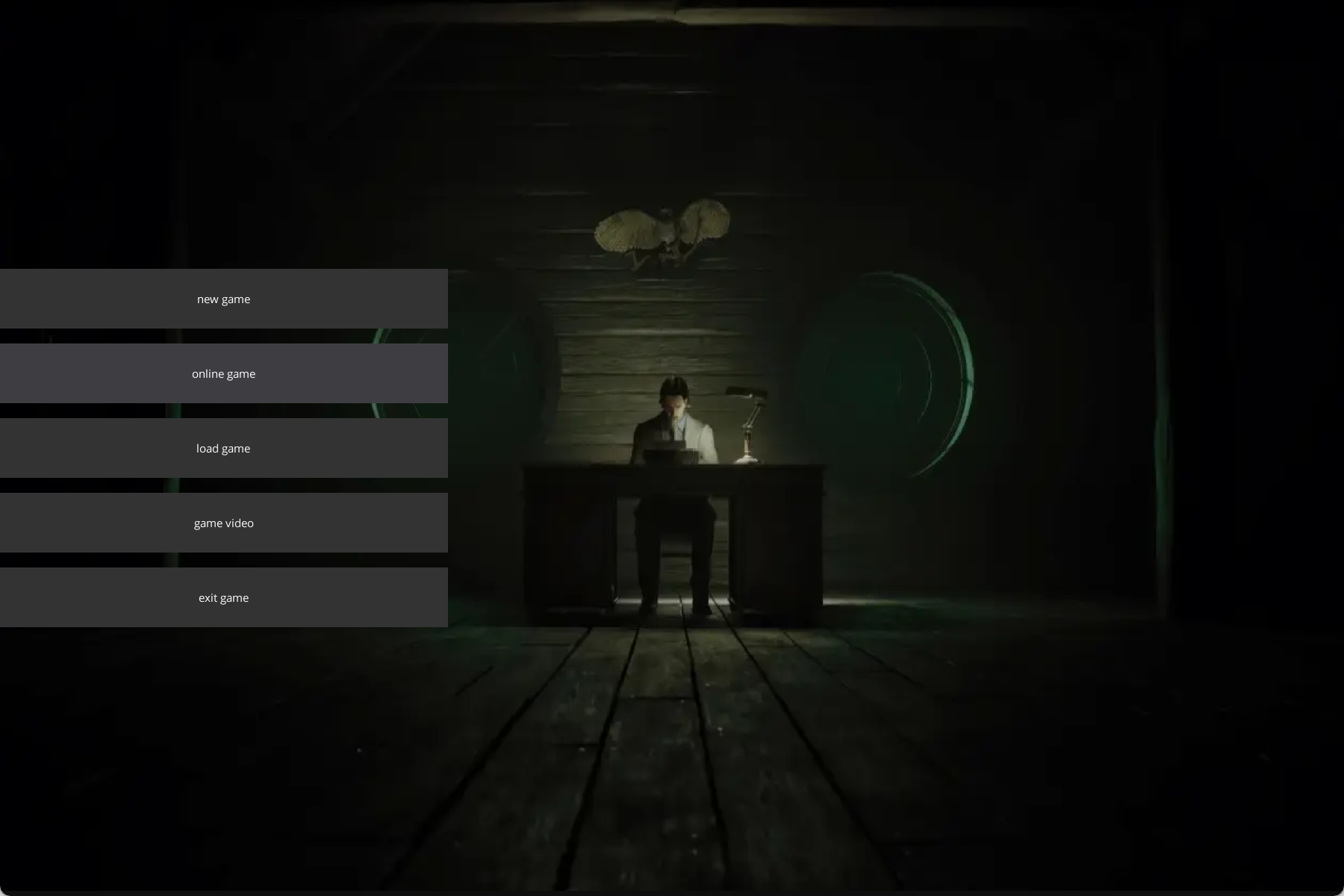
游戏主菜单
-
- newgame新建游戏
- onlinegame多人在线游戏
- load继续(恢复游戏)
- game video观看游戏录像
-
-
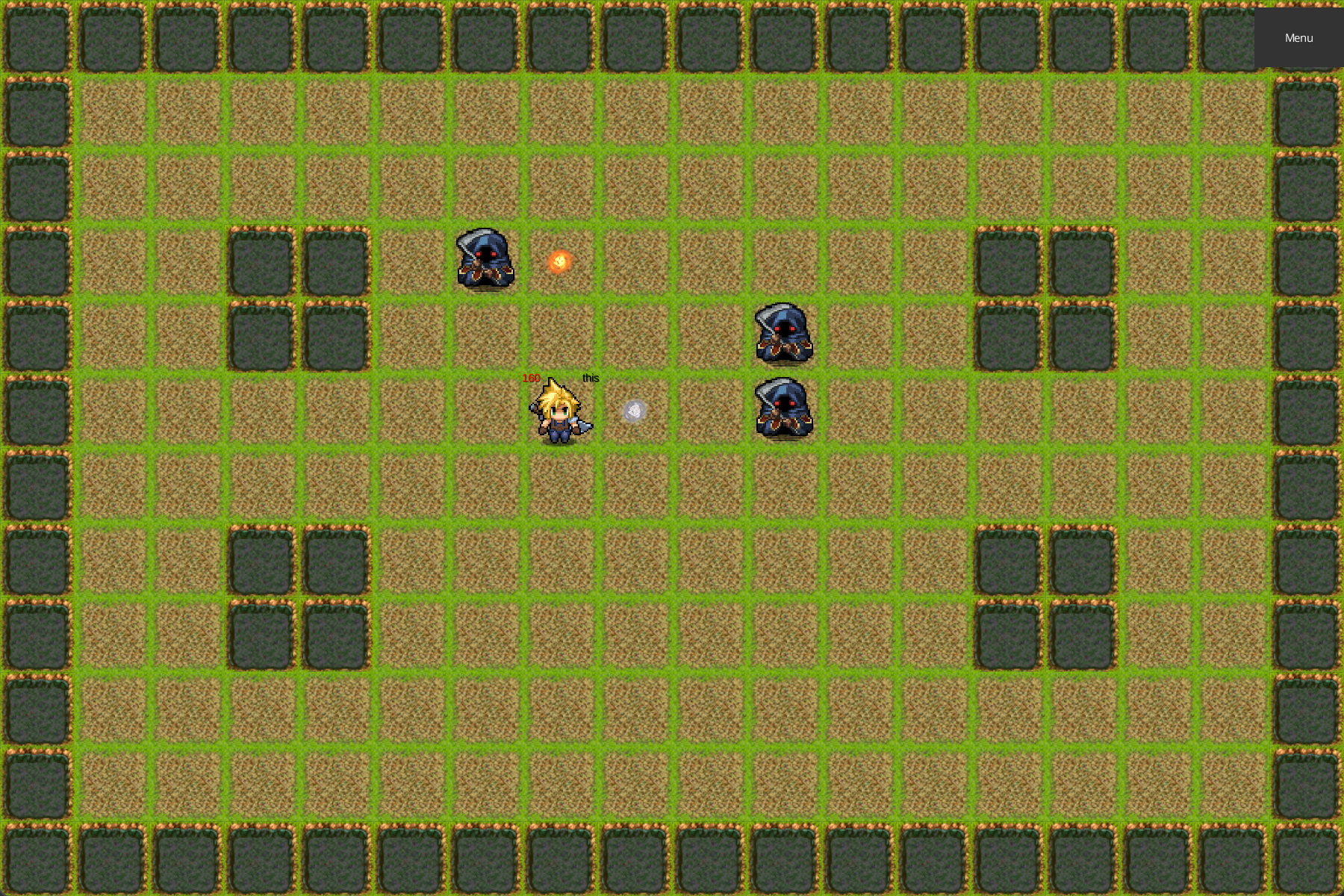
游戏界面
-
- 地图上随机刷新敌人,敌人会自动移动到最近的玩家附近,向玩家发射子弹进行攻击。
- 玩家通过wasd进行移动,鼠标点击进行攻击(可以向一周八个方向发射子弹)
-
-
使用libgdx进行开发,gradle构建项目
-
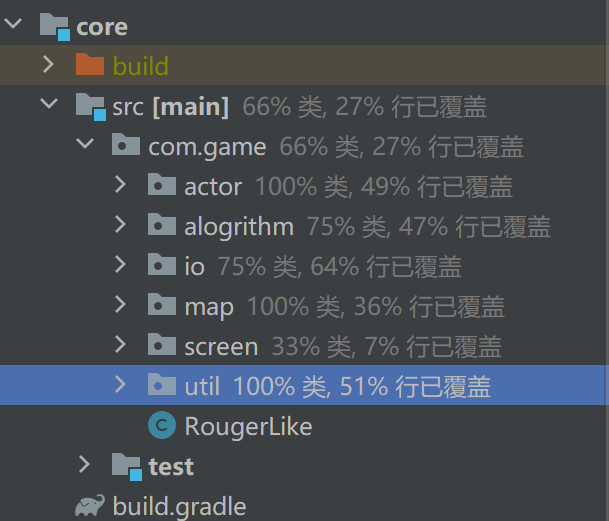
core模块文件结构
-
- src存储源代码,test存储测试类
- actor表示用于渲染的类(玩家,障碍物,子弹等)
- alogrithm算法,用于控制敌人ai,玩家输入处理
- io负责游戏历史记录回放,地图读取,进度保存恢复,网络通讯等功能
- map处理地图及cell
- screen用于显示的场景
- util杂项工具函数
- RougerLike控制类Game,游戏内容入口,负责场景的切换和控制
-
-
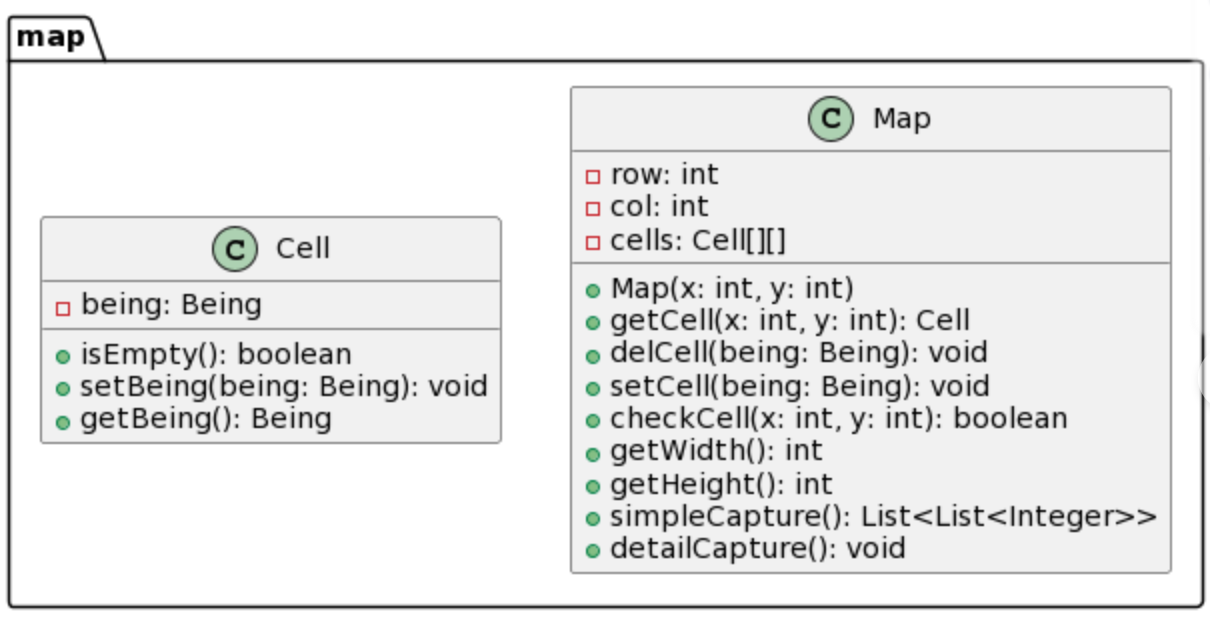
整个地图由12*18的地图构成,由map类负责维护
-
map持有一个cell(单元格)数组
-
public Map(int x,int y) {
    row=x;
    col=y;
    cells=new Cell[col][row];
    for(int i=0;i<col;i++)
        for(int j=0;j<row;j++)
            cells[i][j]=new Cell();
}
-
-
-
每个cell上可以放置一个being,其派生类表示玩家、障碍物、子弹等实例
-
-
游戏场景设计
- RougerLike:游戏入口
- GuideScreen:网络游戏的非房主界面
- VideoSCreen:历史回看界面
- MainMenuScreen:主菜单(模式选择界面)
- GameScreen:游戏界面、网络游戏房主界面
-
使用AssetManager管理资源,所有文档(地图等),图片等资源放置在assets文件夹下
-
manager.load("pix/hero.png", Texture.class);
manager.load("pix/base.png", Texture.class);
manager.load("pix/wall.png", Texture.class);
manager.load("pix/bullet.png", Texture.class);
manager.load("pix/f_bullet.png", Texture.class);
manager.load("pix/enemy.png", Texture.class);
manager.finishLoading();
-
-
子弹攻击的判定
-
使用java的反射机制,判断目标是否是要攻击的目标类型
-
public synchronized void move(Bullet being, Move op){
    int x = being.x+op.getX();
    int y = being.y+op.getY();
    if(x<0||x>=col||y<0||y>=row||!map.checkCell(x,y)) {
        //子弹碰到敌人
        if(x>=0&&x<col&&y>=0&&y<row&&being.target.isInstance(map.getCell(x,y).getBeing()))
            ((Creature) map.getCell(x,y).getBeing()).underAttack(being.at);
        bulletGroup.removeActor(being);
        map.delCell(being);
        return;
    }
    map.delCell(being);
    being.move(op);
    map.setCell(being);
}
-
此外在creature类型中维护class变量标识目标类型
public Class<?extends Creature>target;
-
-
Move枚举类表示8个方向
-
-
EnemyAi实现了两个接口(移动和攻击)
-
敌人的移动决策
-
使用bfs搜索,搜索地图上最近的玩家,返回值就是到达这个玩家的最短路径的第一步的移动方向,如果不存在路径则返回或者距离目标过近null
-
@Override
public Move getNextMove(int x, int y, int minDis) {
    int[][] dirs = {{0, 1}, {0, -1}, {1, 0}, {-1, 0}};
    boolean[][] visited = new boolean[map.getWidth()][map.getHeight()];
    int[][][] predecessors = new int[map.getWidth()][map.getHeight()][2]; // 记录前驱节点
    for (int[][] row : predecessors) {
        Arrays.fill(row, new int[]{-1, -1});
    }
    Queue<int[]> queue = new LinkedList<>();
    queue.offer(new int[]{x, y});
    visited[x][y] = true; // 标记起始点为已访问

    while (!queue.isEmpty()) {
        int[] current = queue.poll();
        int curX = current[0];
        int curY = current[1];

        if (map.getCell(curX, curY).getBeing() instanceof Player) {
            int targetX = curX;
            int targetY = curY;
            target=(Player)map.getCell(curX, curY).getBeing();
            if(Utils.dis(x,y,target.x,target.y)<=minDis)
                return null;
            // 从目标点反向追溯到起点
            while (!(predecessors[targetX][targetY][0] == x && predecessors[targetX][targetY][1] == y)) {
                int tempX = predecessors[targetX][targetY][0];
                int tempY = predecessors[targetX][targetY][1];
                targetX = tempX;
                targetY = tempY;
            }
            // 生成并返回第一步的移动
            return Utils.generateMove(targetX - x, targetY - y);
        }

        for (int[] dir : dirs) {
            int newX = curX + dir[0];
            int newY = curY + dir[1];

            if (newX >= 0 && newX < map.getWidth() && newY >= 0 && newY < map.getHeight() && !visited[newX][newY]
                &&(map.checkCell(newX,newY)||map.getCell(newX,newY).getBeing() instanceof Player)) {
                queue.offer(new int[]{newX, newY});
                visited[newX][newY] = true;
                predecessors[newX][newY] = new int[] {curX, curY}; // 记录前驱节点
            }
        }
    }
    return null; // 如果没有路径,返回null
}
-
-
敌人的攻击决策
-
由移动算法确定目的地,目的地的player就是target,如果target在可攻击的位置(8个方向),就返回应该发射子弹(玩家)的方向
-
@Override
public Move getAttack(int x, int y, int maxDis) {
    int targetX=target.x;
    int targetY=target.y;
    if(Utils.dis(x,y,targetX,targetY)<=maxDis){
        int dx=targetX-x;
        int dy=targetY-y;
        if(dx!=0&&dy!=0&&Math.abs(dx)!=Math.abs(dy)){
            return null;
        }
        if(dx>0)
            dx=1;
        else if(dx<0)
            dx=-1;
        if(dy>0)
            dy=1;
        else if(dy<0)
            dy=-1;
        return Utils.generateMove(dx,dy);
    }
    return null;
}
-
-
敌人的生成及线程创建
-
private void generateEnemy(){
    int[]pos=generateEmptyPosition();
    Enemy enemy = new Enemy(manager.get("pix/enemy.png", Texture.class),pos[0],pos[1],this);
    map.setCell(enemy);
    enemyGroup.addActor(enemy);
    Thread enemyThread = new Thread(enemy);
    enemyThread.start();
}
-
enemy类实现了runnable接口,此接口能周期执行所发策略,控制单位的移动及攻击,创建新敌人时创建新线程运行enemy的run方法
-
-
run方法
-
@Override
    public void run() {
        EnemyAi ai=new EnemyAi(game.map);
        boolean running=true;
        while (!isDead()&&running&&game.getPlayer()!=null) {
            Move nextMove = ai.getNextMove(x,y,minDis);
            Move nextAttack=ai.getAttack(x,y,maxDis);
            if(nextAttack!=null){
                attack(nextAttack);
            }
            else if (nextMove != null) {
                game.move(this, nextMove);
            }
            try {
                Thread.sleep(moveInterval);
            } catch (InterruptedException e) {
                running = false;
            }
        }
    }
-
run方法会被周期调用,每次检查是否要移动以及是否要进行攻击
-
-
防止多线程冲突的设计
-
由于每个敌人会移动以及发送子弹,这可能出现多个线程同时对map进行读取/修改,这可能导致问题,因此做出以下改进:
-
Creature的health属性设置为原子变量,防止一个对象同时受到攻击时出现问题
public AtomicInteger health = new AtomicInteger(100);
-
map操作串行化,防止多个线程同时修改
-
public synchronized void delCell(Being being) {
    cells[being.x][being.y].setBeing(null);
}
public synchronized void setCell(Being being) {
    cells[being.x][being.y].setBeing(being);
}
public synchronized boolean checkCell(int x,int y) {
    return cells[x][y].isEmpty();
}
-
-
单位移动串行化
-
public synchronized void move(Creature being, Move op){
    int x = being.x+op.getX();
    int y = being.y+op.getY();
    if(x<0||x>=col||y<0||y>=row||!map.checkCell(x,y))
        return;
    map.delCell(being);
    being.move(op);
    map.setCell(being);
}
-
防止同时移动造成检查失效冲突
-
-
-
视频演示
java高级程序设计Rougerlike1(并发)_哔哩哔哩_bilibili
<iframe src="//player.bilibili.com/player.html?aid=367362597&bvid=BV1i94y1A71w&cid=1368438852&p=1" scrolling="no" border="0" frameborder="no" framespacing="0" allowfullscreen="true"> </iframe>-
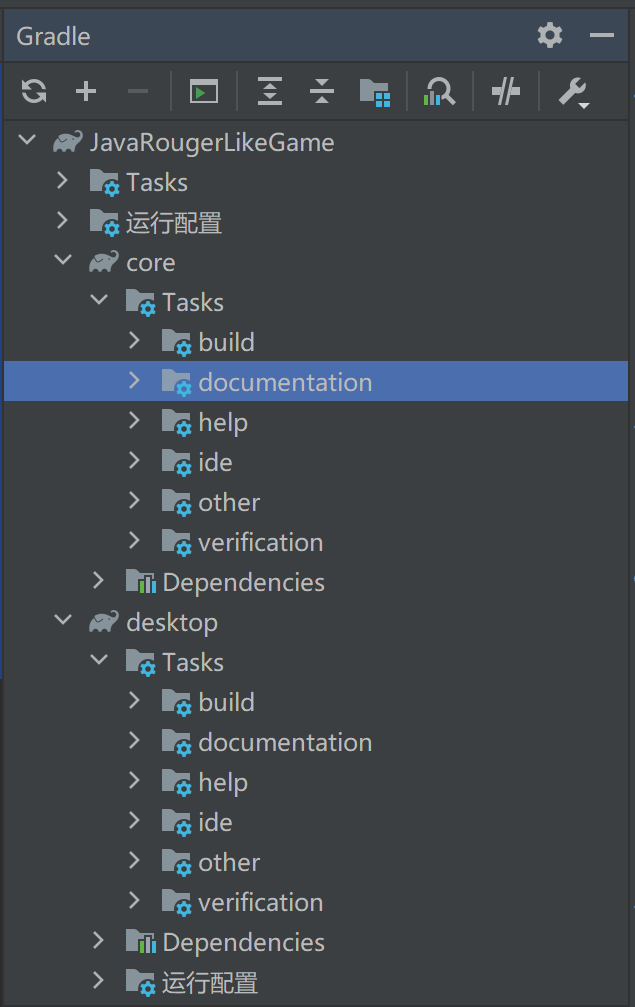
项目使用gradle,支持自动化构建
-
core模块build.gradle文件
-
sourceCompatibility = 1.8
dependencies {
    implementation 'org.jetbrains:annotations:23.0.0'
    implementation "com.kotcrab.vis:vis-ui:1.5.3"
    implementation 'junit:junit:4.13.1'
    testImplementation 'junit:junit:4.13.2'
    implementation 'org.mockito:mockito-core:2.4.1'
    testImplementation 'org.junit.jupiter:junit-jupiter:5.8.1'
}
[compileJava, compileTestJava]*.options*.encoding = 'UTF-8'

sourceSets.main.java.srcDirs = [ "src/" ]

eclipse.project.name = appName + "-core"
-
-
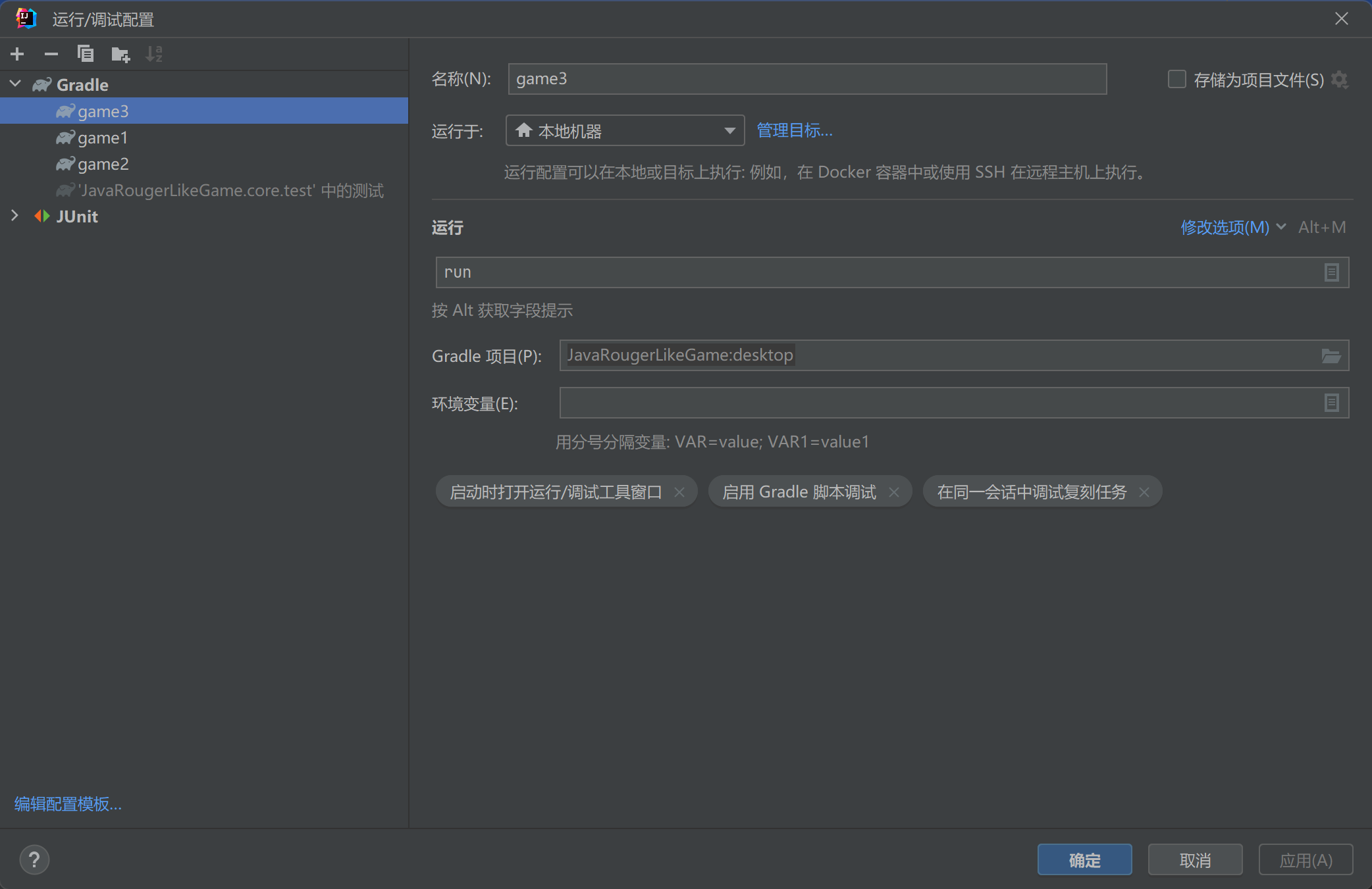
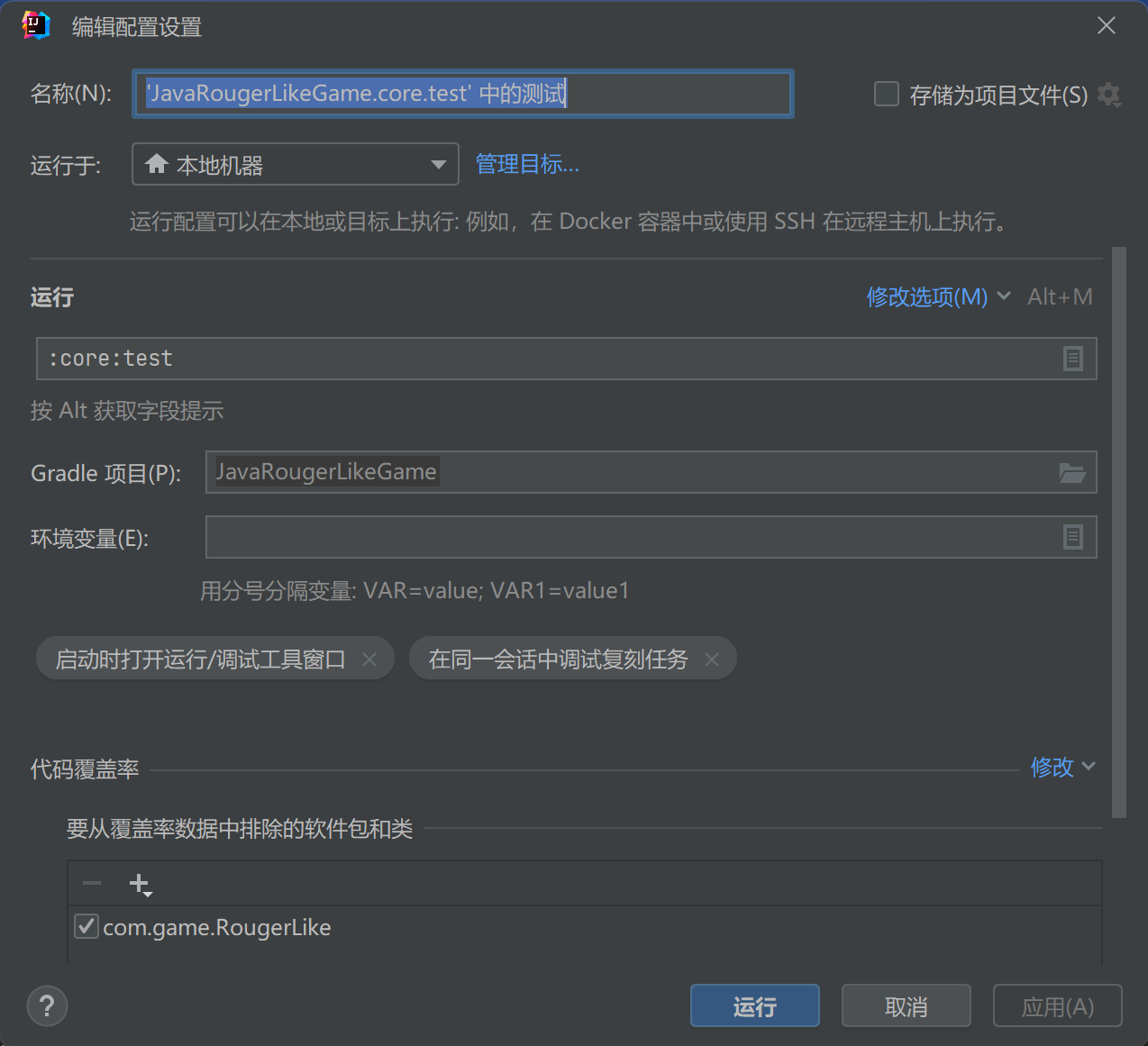
运行配置
-
-
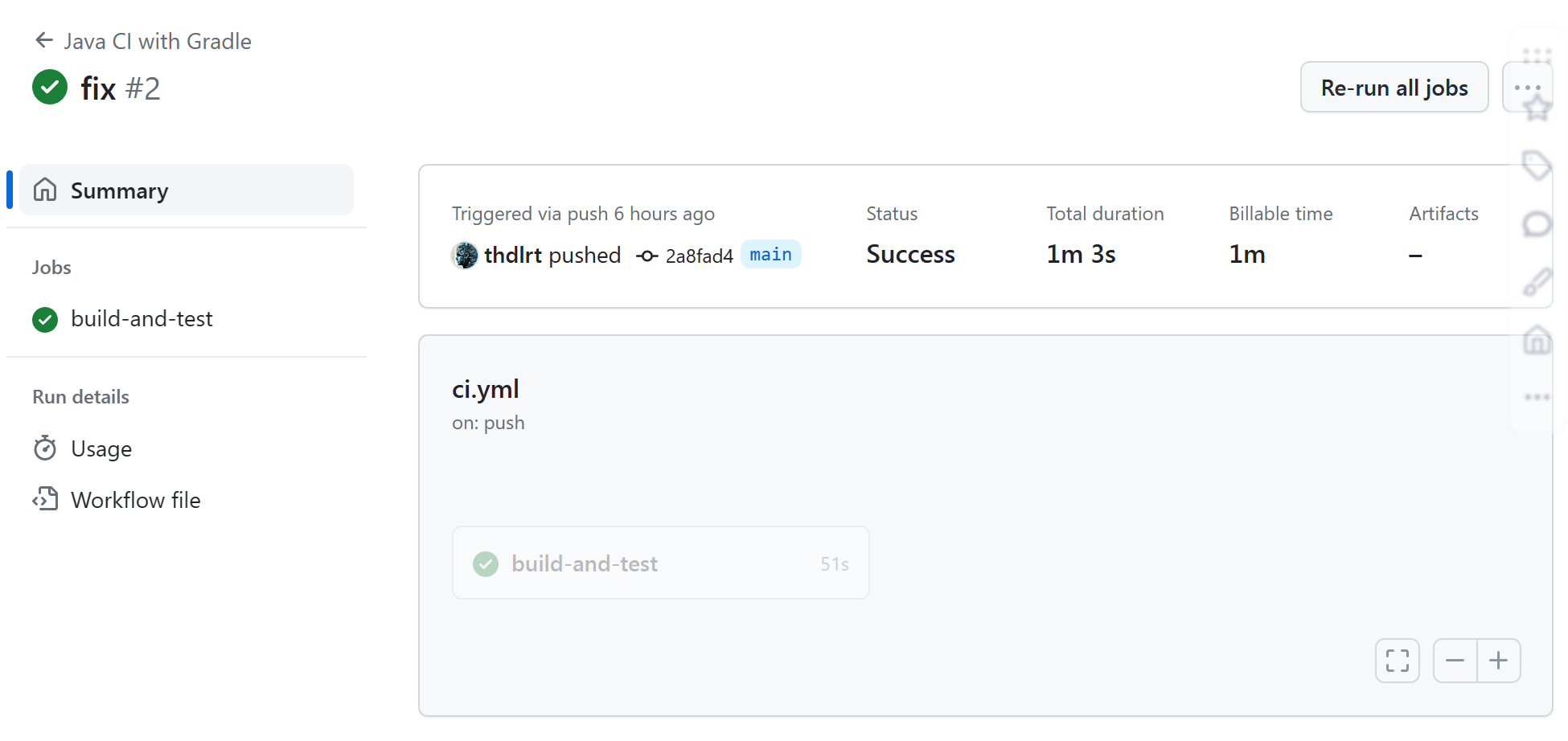
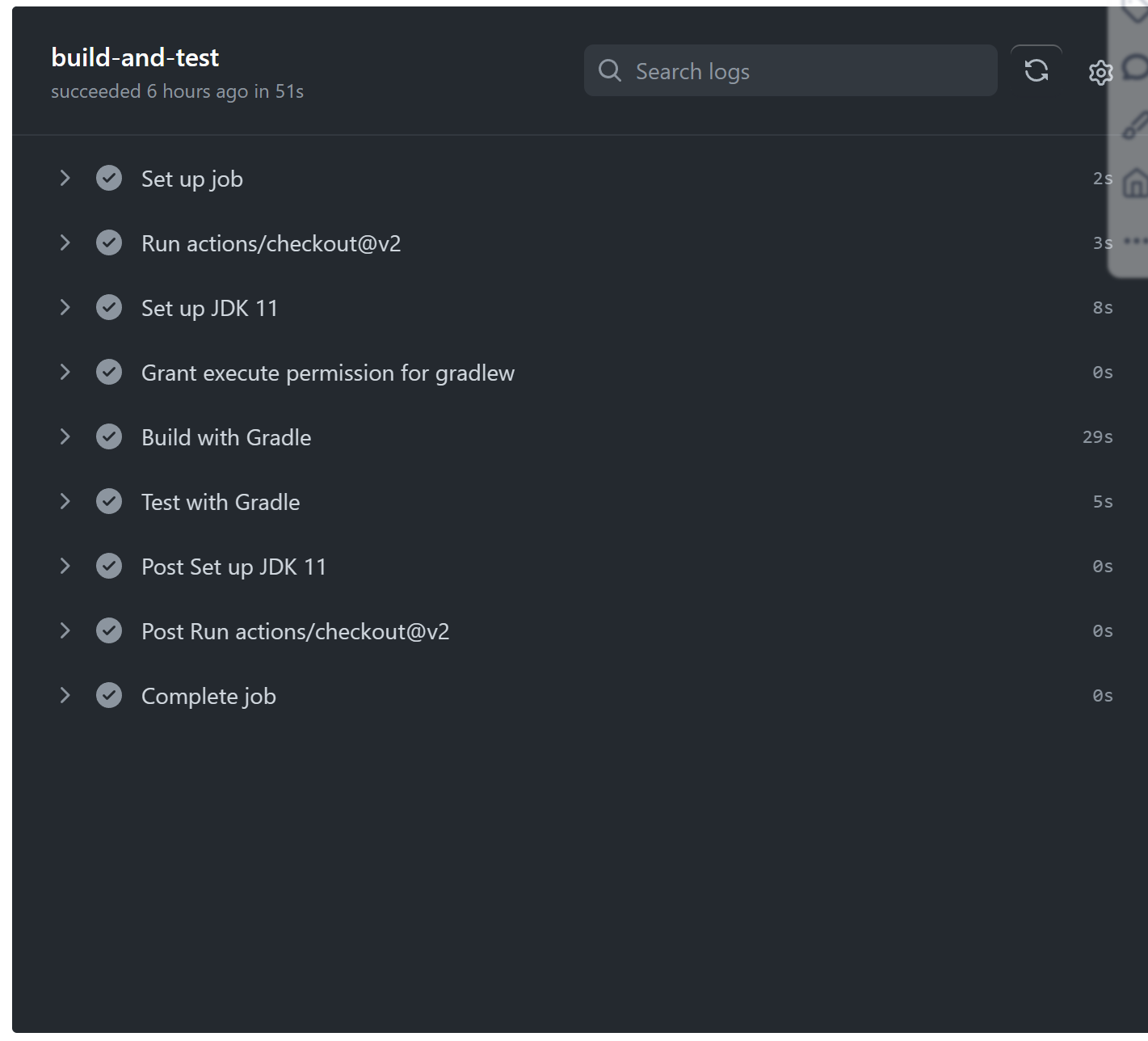
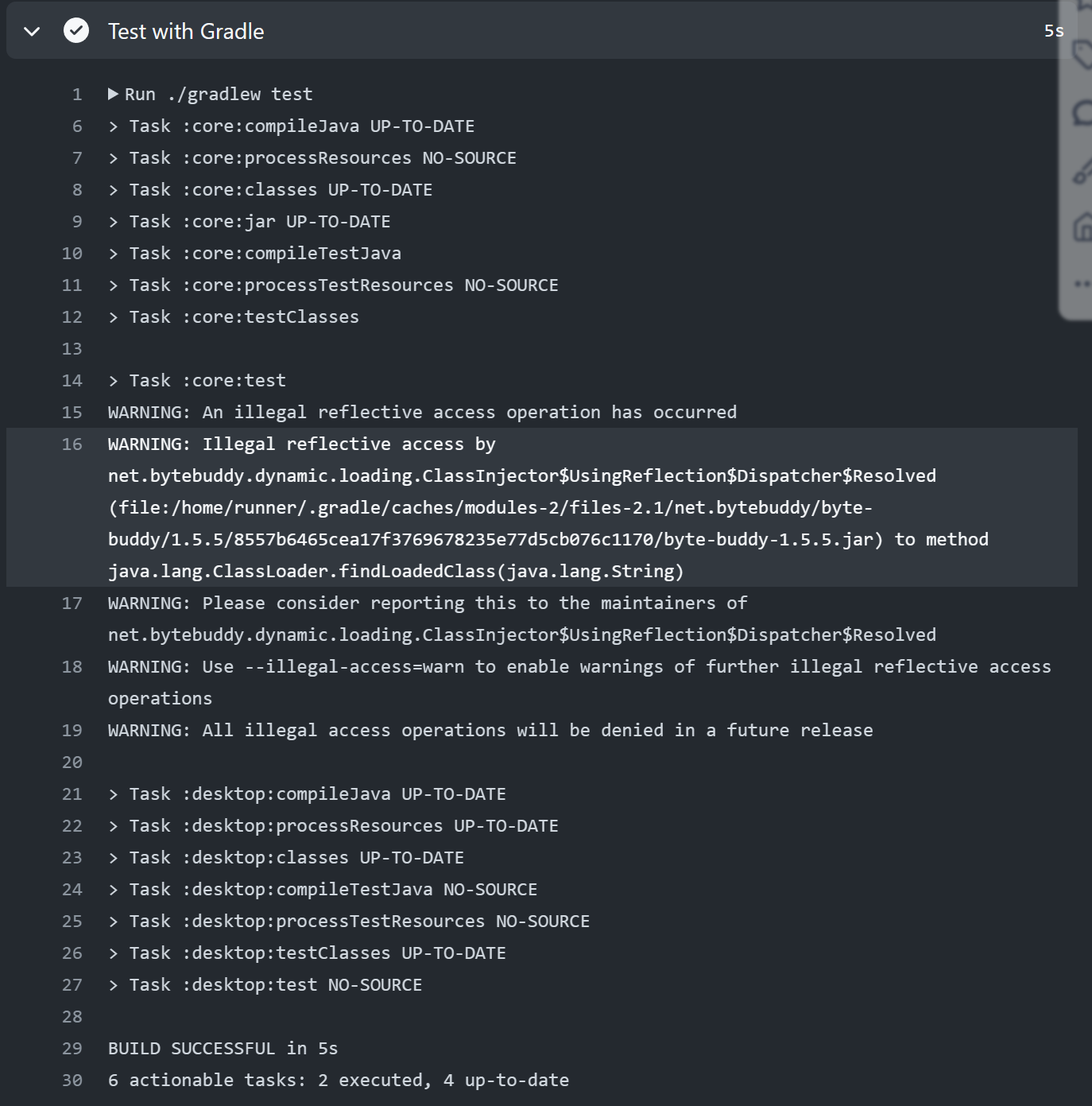
git action运行结果
-
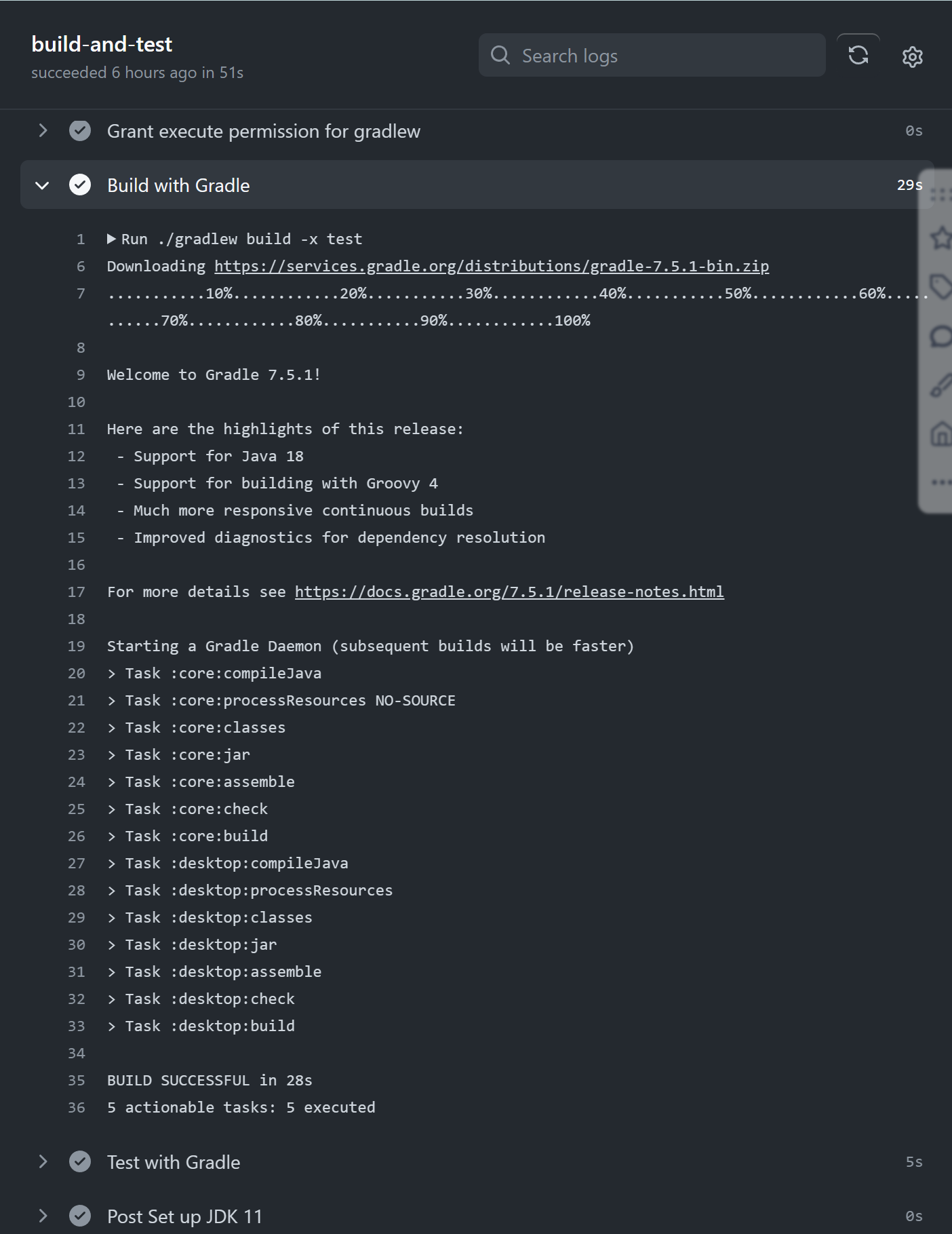
-
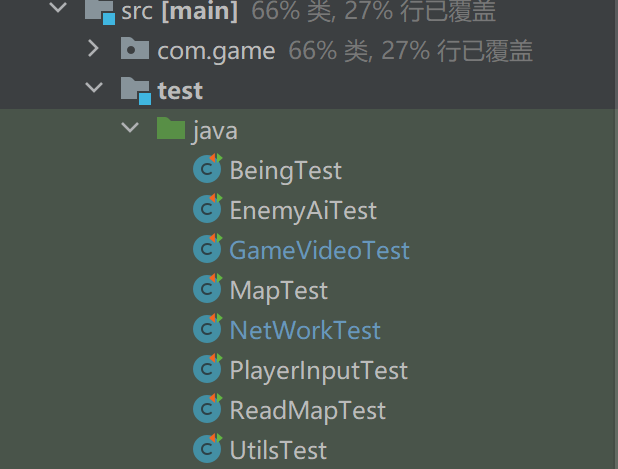
测试类编写
- 使用Junit4以及mockito进行测试
-
- 总共编写了7个测试类
-
测试举例
-
mapread(IO)测试
-
public class ReadMapTest {

    private Path testFilePath;

    @Before
    public void setUp() throws IOException {
        testFilePath = Files.createTempFile("testMap", ".txt");
        List<String> lines = Arrays.asList(
                "0 0 1",
                "0 1 0",
                "1 0 0"
        );
        Files.write(testFilePath, lines);
    }

    @Test
    public void testReadMap() throws IOException {
        List<List<Integer>> map = ReadMap.readMap(testFilePath);
        assertEquals(3, map.size());
        assertTrue(map.contains(Arrays.asList(0, 2)));
        assertTrue(map.contains(Arrays.asList(1, 1)));
        assertTrue(map.contains(Arrays.asList(2, 0)));
    }

    @Test
    public void testResumeMap() throws IOException {
        List<List<Integer>> map = ReadMap.resumeMap(testFilePath);
        assertEquals(3, map.size());
        assertArrayEquals(new Integer[]{0, 0, 1}, map.get(0).toArray(new Integer[0]));
        assertArrayEquals(new Integer[]{0, 1, 0}, map.get(1).toArray(new Integer[0]));
        assertArrayEquals(new Integer[]{1, 0, 0}, map.get(2).toArray(new Integer[0]));
    }
    @After
    public void tearDown() throws IOException {
        Files.deleteIfExists(testFilePath);
    }

}
-
设置临时地图文件,进行读取民兵对读取的结果过进行比对测试
-
-
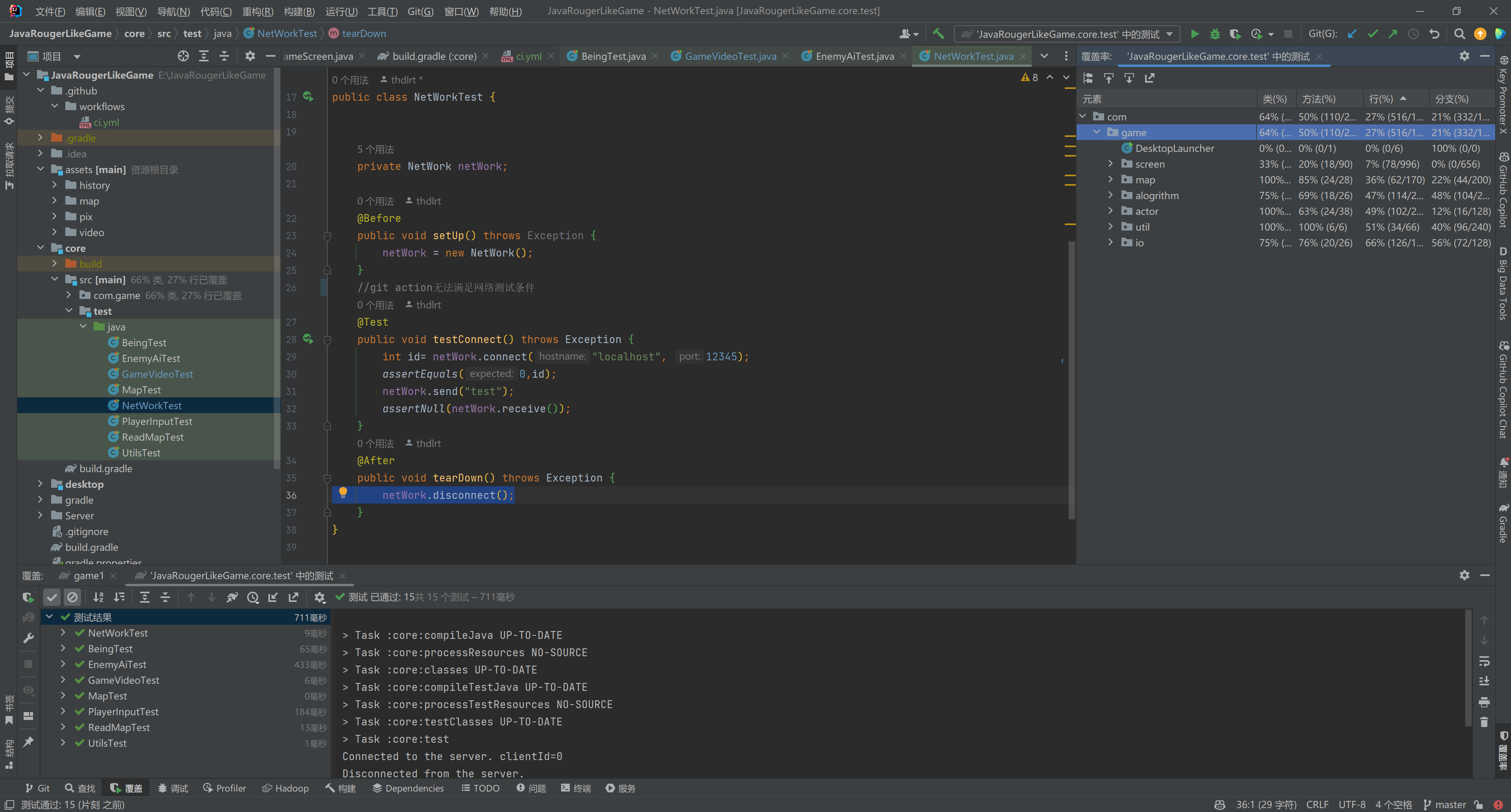
测试覆盖率
- 由于使用libgdx制作项目,Junit无法直接测试需要libgdx环境的部分(尤其是screen文件下的场景部分,这部分主要是关于libgdx中screen的生命周期的逻辑),因此由于screen部分测试覆盖率较低,整体的测试覆盖率水平相对不高
-
gradle构建
-
-
git action配置文件
-
name: Java CI with Gradle

on:
  push:
    branches: [ main ]
  pull_request:
    branches: [ main ]

jobs:
  build-and-test:

    runs-on: ubuntu-latest

    steps:
      - uses: actions/checkout@v2

      - name: Set up JDK 11
        uses: actions/setup-java@v2
        with:
          java-version: '11`'
          distribution: 'adopt'

      - name: Grant execute permission for gradlew
        run: chmod +x gradlew

      - name: Build with Gradle
        run: ./gradlew build -x test

      - name: Test with Gradle
        run: ./gradlew test
-
-
git action 运行结果
-
-
地图保存
-
使用数字存储,0表示空格,1表示障碍物
-
ReadMap类的静态方法,从文件读取为list
-
static public List<List<Integer>> readMap(Path path)
    throws IOException {
    List<List<Integer>>res = new ArrayList<>();
    List<String> lines = Files.readAllLines(path);
    for(int i=0;i<lines.size();i++) {
        String[] line = lines.get(i).split(" ");
        for(int j=0;j<line.length;j++) {
            if(line[j].equals("1")) {
                res.add(new ArrayList<Integer>());
                res.get(res.size()-1).add(i);
                res.get(res.size()-1).add(j);
            }
        }
    }
    return res;
}
-
-
GameScreen根据读取结果进行绘制
-
对Stage中的Actor进行分组管理
-
public Group enemyGroup;
public Group bulletGroup;
public Group itemGroup;
-
地图的初始化及绘制
-
public void initGame(){
    if (stage != null)
        stage.dispose();
    stage = new Stage();
    map = new Map(row, col);
    stage.addActor(itemGroup = new Group());
    stage.addActor(enemyGroup = new Group());
    //初始化背景
    for (int i = 0; i < row; i++) {
        for (int j = 0; j < col; j++) {
            Base base = new Base(manager.get("pix/base.png", Texture.class), j, i, this);
            itemGroup.addActor(base);
        }
    }
    stage.addActor(bulletGroup=new Group());
    Gdx.input.setInputProcessor(stage);
}
public void newGame(String name) throws IOException {
    //初始化玩家
    player = new Player(manager.get("pix/hero.png", Texture.class),8,5,true,this);
    players.put(0,player);
    map.setCell(player);
    stage.addActor(player);
    PlayerInput playerInput = new PlayerInput(this);
    stage.addListener(playerInput);
    //初始化地图(障碍物)
    List<List<Integer>> res= ReadMap.readMap(Paths.get("map/"+name+".txt"));
    for(List<Integer> i:res){
        Wall wall = new Wall(manager.get("pix/wall.png", Texture.class),i.get(1),i.get(0),this);
        map.setCell(wall);
        itemGroup.addActor(wall);
    }
}
-
-
-
游戏记录回放
-
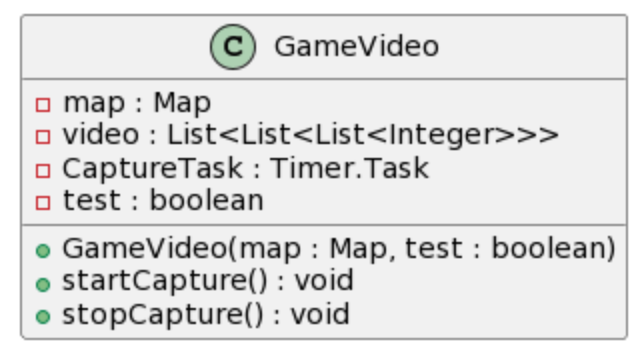
使用GameVideo类处理
-
-
使用libgdx提供的Timer类实现定时周期执行,每次通过map的方法获取当前网格状态的快照(设计用数字表示每个网格上的单位)
-
public GameVideo(Map map,boolean test){
        this.map=map;
        this.test=test;
        video = new ArrayList<>();
        if(test){
            video.add(map.simpleCapture());
            return;
        }
        CaptureTask = new Timer.Task() {
            @Override
            public void run() {
                video.add(map.simpleCapture());
            }
        };
    }
    public void startCapture(){
        if(test){
            return;
        }
        Timer.schedule(CaptureTask, 0, 0.2f);
    }
-
-
停止录制时将缓存的帧信息存储到文件
-
public void stopCapture(){
        if(test)
            return;
        CaptureTask.cancel();
        Path path = Paths.get("video/video.txt");
        try {
            // 确保文件存在,如果不存在则创建
            if (!Files.exists(path)) {
                Files.createFile(path);
            }
            Files.newBufferedWriter(path, StandardOpenOption.TRUNCATE_EXISTING).close();
            // 遍历video列表
            for (List<List<Integer>> frame : video) {
                for (List<Integer> row : frame) {
                    String line = row.stream()
                            .map(Object::toString)
                            .reduce((a, b) -> a + " " + b)
                            .orElse("");

                    Files.write(path, (line + System.lineSeparator()).getBytes(), StandardOpenOption.APPEND);
                }
                Files.write(path, System.lineSeparator().getBytes(), StandardOpenOption.APPEND);
            }
        } catch (IOException e) {
            e.printStackTrace();
        }
    }
-
-
VideoSCreen负责读取及播放帧
-
在Render函数中实现定时更新(这与捕获快照的频率保持一致)
-
@Override
public void render(float delta) {
    Gdx.gl.glClearColor(0f, 0f, 0f, 1); // 设置清屏颜色为灰色
    super.render(delta);
    time += delta;
    if (time > 0.2f) {
        time = 0;
        //渲染
        videoGroup.clear();
        for(int i=0;i<GameScreen.col;i++)
            for(int j=0;j<GameScreen.row;j++) {
                if (video.get(cnt).get(i).get(j) == 1) {
                    Wall wall = new Wall(manager.get("pix/wall.png", Texture.class),i,j,null);
                    videoGroup.addActor(wall);
                } else if (video.get(cnt).get(i).get(j) == 2) {
                    Player player = new Player(manager.get("pix/hero.png", Texture.class),i,j,false,null);
                    videoGroup.addActor(player);
                } else if (video.get(cnt).get(i).get(j) == 3) {
                    Enemy enemy = new Enemy(manager.get("pix/enemy.png", Texture.class),i,j,null);
                    videoGroup.addActor(enemy);
                } else if (video.get(cnt).get(i).get(j) == 4) {
                    Bullet bullet = new Bullet(manager.get("pix/bullet.png", Texture.class),i,j,0,null,null,null);
                    videoGroup.addActor(bullet);
                } else if (video.get(cnt).get(i).get(j) == 5) {
                    Bullet bullet = new Bullet(manager.get("pix/f_bullet.png", Texture.class),i,j,0,null,null,null);
                    videoGroup.addActor(bullet);
                }
            }
        ++cnt;
        if(cnt==video.size()){
            cnt=0;
        }
    }
    stage.draw();
}
-
-
-
游戏存档及恢复
-
相比视频录制,游戏存档需要不仅需要保存每个格子上的类型,还需要存储每个单位的移动方向(子弹),攻击力生命值等信息
-
map中提供了获取详细快照的方法
-
public void detailCapture() {
    List<List<Integer>> map = new ArrayList<>(col);

    for (int i = 0; i < col; i++) {
        for (int j = 0; j < row; j++) {
            List<Integer> rowList = new ArrayList<>(row);
            if (!cells[i][j].isEmpty()){
                rowList.add(i);
                rowList.add(j);
                if (cells[i][j].getBeing() instanceof Wall) {
                    rowList.add(1);
                } else if (cells[i][j].getBeing() instanceof Player) {
                    rowList.add(2);
                    rowList.add(((Player) cells[i][j].getBeing()).gethp());
                    rowList.add(((Player) cells[i][j].getBeing()).at);
                } else if (cells[i][j].getBeing() instanceof Enemy) {
                    rowList.add(3);
                    rowList.add(((Enemy) cells[i][j].getBeing()).gethp());
                    rowList.add(((Enemy) cells[i][j].getBeing()).at);
                } else if (cells[i][j].getBeing() instanceof Bullet && ((Bullet) cells[i][j].getBeing()).target == Enemy.class) {
                    rowList.add(4);
                    rowList.add(((Bullet) cells[i][j].getBeing()).at);
                    rowList.add(((Bullet) cells[i][j].getBeing()).direction.getX());
                    rowList.add(((Bullet) cells[i][j].getBeing()).direction.getY());
                } else if (cells[i][j].getBeing() instanceof Bullet && ((Bullet) cells[i][j].getBeing()).target == Player.class) {
                    rowList.add(5);
                    rowList.add(((Bullet) cells[i][j].getBeing()).at);
                    rowList.add(((Bullet) cells[i][j].getBeing()).direction.getX());
                    rowList.add(((Bullet) cells[i][j].getBeing()).direction.getY());
                }
                map.add(rowList);
            }
        }
    }
    Path path = Paths.get("history/resume.txt");
    try{
        if(!Files.exists(path))
            Files.createFile(path);
        Files.newBufferedWriter(path).close();
        for(List<Integer> row:map){
            String line = row.stream()
                .map(Object::toString)
                .reduce((a,b)->a+" "+b)
                .orElse("");
            Files.write(path,(line+System.lineSeparator()).getBytes(), StandardOpenOption.APPEND);
        }
    }catch (Exception e){
        e.printStackTrace();
    }
}
-
-
在恢复时只需要按照同样的规则从存档加载即可
-
-
视频演示
java高级程序设计Rougerlike4(IO)_哔哩哔哩_bilibili
<iframe src="//player.bilibili.com/player.html?aid=452257926&bvid=BV1Wj411p7Zc&cid=1368478676&p=1" scrolling="no" border="0" frameborder="no" framespacing="0" allowfullscreen="true"> </iframe>- 设计思路
- 使用帧同步及房主模式
- 即服务器只用于完成一些基本操作,如为加入的玩家分配id,以及接收玩家发来的信息,并进行广播转发
- 第一个加入的玩家作为房主,负责处理游戏逻辑,其他玩家的操作会发送给房主,由房主进行运算,并向其他玩家广播游戏状态
-
使用nio实现
-
-
在start中服务器循环监听,检查是否有新的玩家加入,或者是否有消息需要处理
-
public void start() throws Exception {
        System.out.println("Server started...");

        while (true) {
            selector.select();
            Set<SelectionKey> selectedKeys = selector.selectedKeys();
            Iterator<SelectionKey> iter = selectedKeys.iterator();

            while (iter.hasNext()) {
                SelectionKey key = iter.next();

                if (key.isAcceptable()) {
                    // 接受客户端连接
                    accept(key);
                } else if (key.isReadable()) {
                    // 读取客户端数据
                    read(key);
                }

                iter.remove();
            }
        }
    }
-
连接处理
-
private void accept(SelectionKey key) throws Exception {
    ServerSocketChannel serverChannel = (ServerSocketChannel) key.channel();
    SocketChannel channel = serverChannel.accept();
    channel.configureBlocking(false);

    // 为新客户端分配唯一的ID
    int clientId = clientIdCounter.getAndIncrement();

    ByteBuffer buffer = ByteBuffer.allocate(Integer.BYTES);
    buffer.putInt(clientId);
    buffer.flip();

    while (buffer.hasRemaining()) {
        channel.write(buffer);
    }

    channel.register(selector, SelectionKey.OP_READ);
    activeConnections.incrementAndGet();
    System.out.println("New connection from " + channel.getRemoteAddress() + " with client ID " + clientId);
}
-
收到连接请求,为客户端分配id
-
-
断开连接处理
-
private void handleClientDisconnect(SelectionKey key, SocketChannel channel) throws IOException {
    key.cancel();
    channel.close();
    activeConnections.decrementAndGet();
    if (activeConnections.get() == 0) {
        System.out.println("All clients disconnected");
        clientIdCounter.set(0);
    }
    System.out.println("Client disconnected");
}
-
连接断开后对连接码进行复位,并且如果所有连接都已经断开,则重置id编号
-
-
消息接收
-
服务器接收到信息后立刻进行广播
-
private void read(SelectionKey key) throws Exception {
    SocketChannel channel = (SocketChannel) key.channel();
    ByteBuffer buffer = ByteBuffer.allocate(10000);

    try {
        int numRead = channel.read(buffer);

        if (numRead == -1) {
            // 客户端关闭连接
            handleClientDisconnect(key, channel);
            return;
        }

        // 数据转发逻辑
        byte[] data = new byte[numRead];
        System.arraycopy(buffer.array(), 0, data, 0, numRead);
        broadcast(data, channel);
        System.out.println("Received message from " + channel.getRemoteAddress() + ": " + new String(data, StandardCharsets.UTF_8));
    } catch (IOException e) {
        // 客户端异常关闭
        handleClientDisconnect(key, channel);
    }
}
private void broadcast(byte[] data, SocketChannel origin) throws Exception {
    String messageWithDelimiter = new String(data, StandardCharsets.UTF_8);
    byte[] dataWithDelimiter = messageWithDelimiter.getBytes(StandardCharsets.UTF_8);

    for (SelectionKey key : selector.keys()) {
        if (key.isValid() && key.channel() instanceof SocketChannel) {
            SocketChannel channel = (SocketChannel) key.channel();
            if (channel != origin) {
                ByteBuffer buffer = ByteBuffer.wrap(dataWithDelimiter);
                while (buffer.hasRemaining()) {
                    channel.write(buffer);
                }
            }
        }
    }
}
-
-

-
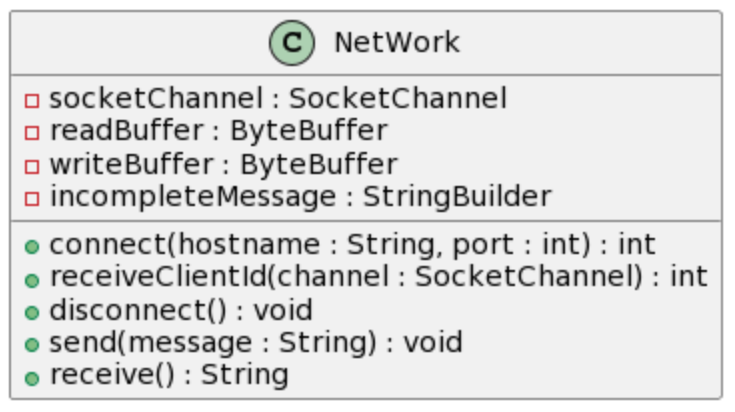
客户端网络模块
-
-
连接到服务器,并获取分配的id
-
public int connect(String hostname, int port) throws Exception {

    socketChannel = SocketChannel.open();
    socketChannel.connect(new InetSocketAddress(hostname, port));
    socketChannel.configureBlocking(false);
    // 等待连接完成
    while (!socketChannel.finishConnect()) {

    }
    int clientId = receiveClientId(socketChannel);
    System.out.println("Connected to the server. clientId=" + clientId);
    return clientId;
}
-
根据返回的id判断是否作为房主
-
-
发送数据,以\n作为分隔符
-
public void send(String message) throws Exception {
    message+= "\n";
    writeBuffer.clear();
    writeBuffer.put(message.getBytes(StandardCharsets.UTF_8));
    writeBuffer.flip();
    while (writeBuffer.hasRemaining()) {
        socketChannel.write(writeBuffer);
    }
}
-
-
接受数据,将缓冲区的数据全部取出,并存储到字符串中,每次取数以\n为分隔符取出一条信息
-
public String receive() throws Exception {
    ByteBuffer buffer = ByteBuffer.allocate(10000);
    int bytesRead = socketChannel.read(buffer);
    buffer.flip();
    incompleteMessage.append(StandardCharsets.UTF_8.decode(buffer).toString());
    // 检查是否包含完整消息(检查分隔符)
    int delimiterIndex = incompleteMessage.indexOf("\n");
    if (delimiterIndex != -1) {
        String completeMessage = incompleteMessage.substring(0, delimiterIndex);
        incompleteMessage.delete(0, delimiterIndex + 1); // 移除已处理的消息部分
        if(completeMessage.equals(""))
            return receive();
        return completeMessage;
    }

    return null;
}
-
-
使用GideScreen作为非房主的显示
-
在render中检查是否有来自房主(id=0的信息),如果有则对显示进行更新
-
if(caption!=null&&n_caption!=null&&caption.size()==n_caption.size()) {
    videoGroup.clear();
    for (int i = 0; i < GameScreen.col; i++) {
        for (int j = 0; j < GameScreen.row; j++) {
            if (caption.get(i * GameScreen.row + j + 1) == 1) {
                Wall wall = new Wall(manager.get("pix/wall.png", Texture.class), i, j, null);
                videoGroup.addActor(wall);
            } else if (caption.get(i * GameScreen.row + j + 1) == 3) {
                Enemy enemy = new Enemy(manager.get("pix/enemy.png", Texture.class), i, j, null);
                videoGroup.addActor(enemy);
            } else if (caption.get(i * GameScreen.row + j + 1) == 4) {
                Bullet bullet = new Bullet(manager.get("pix/bullet.png", Texture.class), i, j, 0, null, null, null);
                videoGroup.addActor(bullet);
            } else if (caption.get(i * GameScreen.row + j + 1) == 5) {
                Bullet bullet = new Bullet(manager.get("pix/f_bullet.png", Texture.class), i, j, 0, null, null, null);
                videoGroup.addActor(bullet);
            }
        }
    }
    for(int i=GameScreen.col*GameScreen.row+1;i<caption.size();i+=4){
        int id=Integer.parseInt(n_caption.get(i));
        int x=Integer.parseInt(n_caption.get(i+1));
        int y=Integer.parseInt(n_caption.get(i+2));
        int hp=Integer.parseInt(n_caption.get(i+3));
        if(id==this.id){
            Player player = new Player(manager.get("pix/hero.png", Texture.class), x, y,true, null);
            player.health.set(hp);
            videoGroup.addActor(player);
        }
        else{
            Player player = new Player(manager.get("pix/hero.png", Texture.class), x, y,false, null);
            player.health.set(hp);
            videoGroup.addActor(player);
        }
    }
}
-
-
使用GuideInput处理输入事件,会将移动攻击等事件发送到服务器
-
@Override
public boolean touchDown(InputEvent event, float screenX, float screenY, int pointer, int button) {

    Vector2 stageCoordinates = guest.stage.screenToStageCoordinates(new Vector2(screenX, screenY));
    stageCoordinates.x-=50;
    stageCoordinates.y-=50;
    stageCoordinates.y=(GameScreen.row-1)*GameScreen.CELL_SIZE-stageCoordinates.y;
    try {
        guest.server.send(guest.id+" 2 "+stageCoordinates.x+" "+stageCoordinates.y);
    } catch (Exception e) {
        throw new RuntimeException(e);
    }
    return true;
}
-
-
在房主方,使用一个HashMap维护玩家id和player对象的对应关系
-
当地图信息发生变化时,对地图信息发送到服务器进行广播
-
接收到来自其他玩家的信息时根据id对其操作进行响应
-
if(isOnline){
    String s;
    List<String> msg=null;
    while(true){
        try{
            s = server.receive();
        } catch (Exception e) {
            throw new RuntimeException(e);
        }
        if(s==null)
            break;
        msg = Arrays.stream(s.split("\\s+"))
            .collect(Collectors.toList());
        int id=Integer.parseInt(msg.get(0));
        if(id!=0){
            if(!players.containsKey(id)){
                sendMap();
                int[] pos = generateEmptyPosition();
                Player player = new Player(manager.get("pix/hero.png", Texture.class),pos[0],pos[1],false,this);
                players.put(id,player);
                map.setCell(player);
                stage.addActor(player);
            }
            if(msg.size()>1){
                int op = parseInt(msg.get(1));
                if(op==1){
                    char c = msg.get(2).charAt(0);
                    if(c=='w')
                        move(players.get(id),Move.UP);
                    else if(c=='s')
                        move(players.get(id),Move.DOWN);
                    else if(c=='a')
                        move(players.get(id),Move.LEFT);
                    else if(c=='d')
                        move(players.get(id),Move.RIGHT);
                }
                else if(op==2){
                    float x = Float.parseFloat(msg.get(2));
                    float y = Float.parseFloat(msg.get(3));
                    Vector2 stageCoordinates = new Vector2(x,y);
                    Vector2 playerPosition = new Vector2(players.get(id).getX(), players.get(id).getY());
                    Vector2 direction = new Vector2(stageCoordinates.x - playerPosition.x, stageCoordinates.y - playerPosition.y);
                    direction.nor();
                    float angle = direction.angleDeg();
                    // 确定子弹的方向
                    Move bulletDirection = Utils.getBulletDirection(angle);
                    players.get(id).attack(bulletDirection);
                }
            }
        }
    }
    //地图状态
    List<List<Integer>>_caption=map.simpleCapture();
    //如果地图状态发生改变
    if(caption==null||!caption.equals(_caption)){
        caption=_caption;
        sendMap();
    }
}
-