
APL playground is a fully-fledged Alexa skill that lets you render and troubleshoot multiple APL layouts at once.
On the LaunchRequest, APL Playground will check the content of the lambda/layouts folder for any .json APL layout, and dynamically populate a Sequence from which you can select the layout to render.
The inferface looks like this:
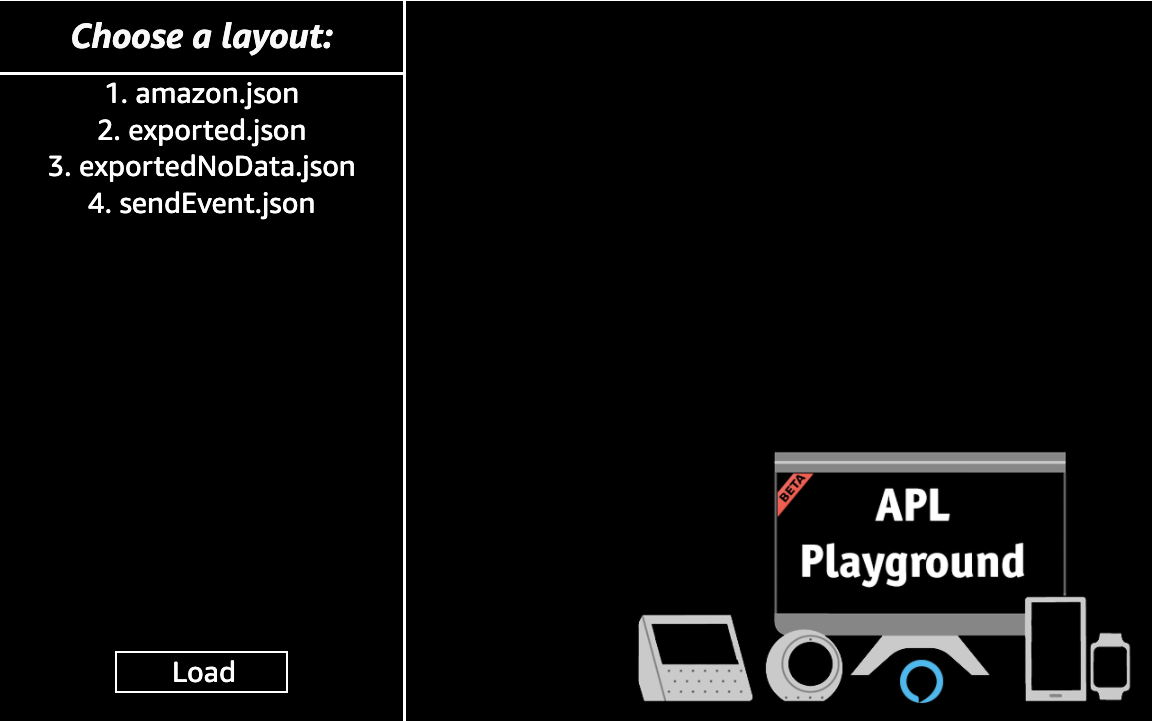
You can also say "back", to get to the selection screen again.
APL Playground can render APL layouts regardless of the format: it doesn't matter if the document has been exported from the Authoring Tool, or if it doesn't contain datasources, the skill logic will adapt the RenderDocument directive automatically for you.
Here is an overview of all the different layout formats it can handle:
{
    "document": {
        "type": "APL",
        "version": "1.4",
        "settings": {},
        "theme": "dark",
        "import": [],
        "resources": [],
        "styles": {},
        "onMount": [],
        "graphics": {},
        "commands": {},
        "layouts": {},
        "mainTemplate": {...}
    },
    "datasources": {
        "data": {
            "values": [
                "Hello from Gaetano!"
            ]
        }
    }
}
This file contains both a document and a datasources key in the same file: APL playground will extract and use them as the respective parameters of the RenderDocument directive.
{
    "type": "APL",
    "version": "1.4",
    "settings": {},
    "theme": "dark",
    "import": [],
    "resources": [],
    "styles": {},
    "onMount": [],
    "graphics": {},
    "commands": {},
    "layouts": {},
    "mainTemplate": {...}
}
This file only contains the document structure: APL playground will use it for the RenderDocument directive, leaving the datasources parameter empty.
This scenario covers the situation in which we have a file containing the document and another one containing the datasources.
As an example, the default lambda/layouts folder provided in the repo contains a file called amazon.json and another one called amazon_datasources.json.
When APL playground finds a file ending in *_datasources.json, it will not make it part of the layouts list, but will treat it as datasources.
In other words, amazon.json will be the document parameter of the RenderDocument directive, and amazon_datasources.json will be the datasources.
APL Playground will log all the APL.UserEvent(s) that the backend may receive.
This is useful, for example, to check if a layout is sending the correct arguments from a TouchWrapper interaction.
The skill has custom intent called executeCommandIntent that will execute an array of APL commands that you will define in the index.js.
The default one will send a AnimateItem command the Text component of the default exported.json layout.
This repository can be easily imported into a new Alexa-hosted skill for immediate use, with the Alexa developer console or the ASK CLI.
Please check the following documentation for additional info: https://developer.amazon.com/en-US/docs/alexa/hosted-skills/alexa-hosted-skills-git-import.html