/\
   /  \
  /----\
  | ++ |
  | ++ |
  |    |
 /|____|\
/_||||||_\
  /_||_\
   /  \
  /____\
    ||
    ||
   /__\
brew install stow
git clone git@github.com:vitordwb/dotfiles.git ~/dotfiles
cd ~/dotfiles

# O comando 'stow' assume que o destino é o diretório PAI (ou seja, ~)

stow tmux
stow nvim
stow git
stow zsh

# Ou, para "instalar" todos de uma vez:
stow */
- Hide Dock automatically
- Medium size
- Genie effect
- Minimize into application icon:
on - Show indicators for open apps:
on - Show recent apps:
off - Double-click window title:
zoom - Animate app openings:
on
- FileVault:
on
- Ask Siri:
off
- Double space = period:
off - Smart quotes/dashes:
off - Set
"for double,'for single quotes
- Create
~/Developerfolder (adds icon) - Sidebar:
- Enable all Favorites
- Add: Library, Developer, Drive, Dropbox
- Hide all tags
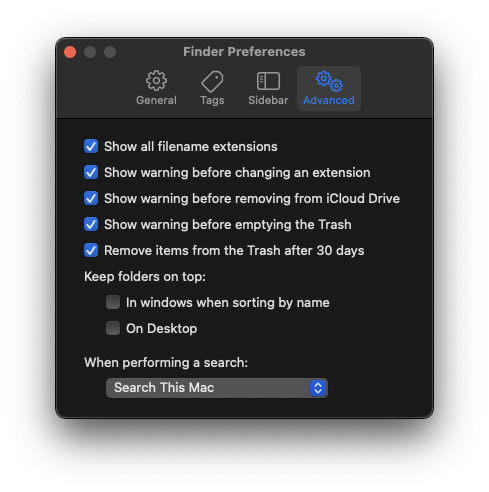
- Show all filename extensions
- Auto delete Trash after 30 days


xcode-select --install- Install: site
/bin/bash -c "$(curl -fsSL https://raw.githubusercontent.com/Homebrew/install/HEAD/install.sh)"brew install
\ git
\ colima
\ neovim
\ tmux
\ yarn
\ bordersbrew install --cask
insomnia
jetbrains-toolbox
raycast
docker
iterm2ln -s $(pwd)/git/gitconfig ~/.gitconfig
git config --global user.name "Your Name"
git config --global user.email "you@your-domain.com"
git config --global alias.lg "log --color --graph --pretty=format:'%Cred%h%Creset -%C(yellow)%d%Creset %s %Cgreen(%cr) %C(bold blue)<%an>%Creset' --abbrev-commit"ln -s $(pwd)/ssh/config ~/.ssh/configbrew tap homebrew/cask-fonts
brew install font-hack-nerd-font
cp -r "$(pwd)/fonts/"* ~/Library/Fontssh -c "$(curl -fsSL https://raw.githubusercontent.com/robbyrussell/oh-my-zsh/master/tools/install.sh)"
ln -s $(pwd)/zsh/zshrc ~/.zshrcgit clone https://github.com/zsh-users/zsh-autosuggestions ~/.oh-my-zsh/custom/plugins/zsh-autosuggestions
git clone https://github.com/zsh-users/zsh-syntax-highlighting.git ~/.oh-my-zsh/custom/plugins/zsh-syntax-highlighting
git clone https://github.com/mafredri/zsh-async ~/.oh-my-zsh/plugins/async
git clone https://github.com/lukechilds/zsh-nvm ~/.oh-my-zsh/custom/plugins/zsh-nvm
git clone https://github.com/romkatv/powerlevel10k.git $ZSH_CUSTOM/themes/powerlevel10k
ln -s $(pwd)/zsh/p10k ~/.p10k.zsh
git clone https://github.com/g-plane/zsh-yarn-autocompletions ~/.oh-my-zsh/custom/plugins/zsh-yarn-autocompletionsln -s $(pwd)/bash/bash_alias ~/.bash_alias
ln -s $(pwd)/bash/bash_profile ~/.bash_profile
ln -s $(pwd)/bash/bashrc ~/.bashrc
ln -s $(pwd)/bash/flutter ~/.flutter
ln -s $(pwd)/bash/nvm-load ~/.nvm-load
ln -s $(pwd)/bash/yarn-autocompletions.yml ~/.yarn-autocompletions.ymlEdit
.nvm-loadto match installed Node version.
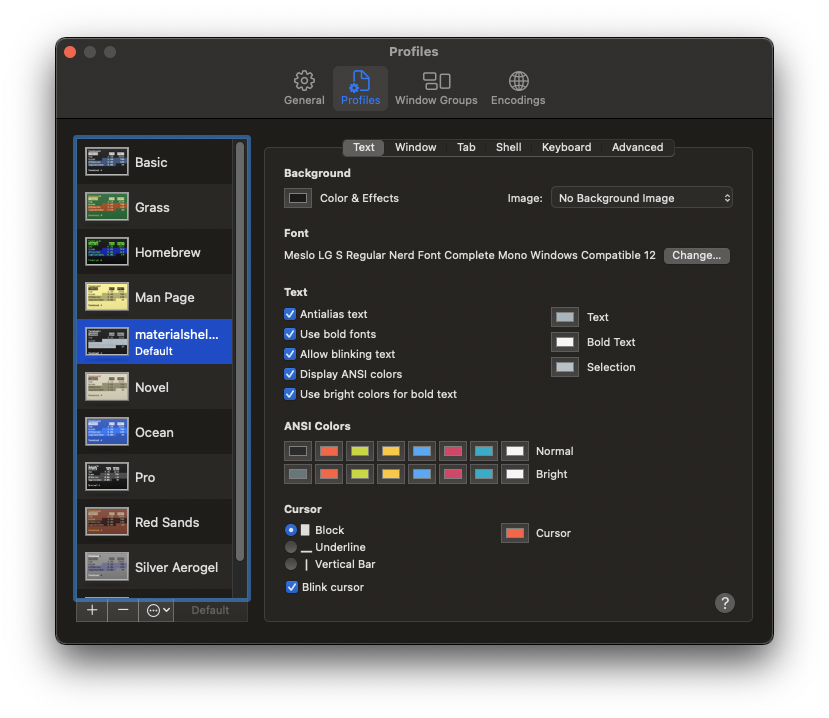
- Terminal > Settings
- Gear icon → Import
- Select
materialshell-dark.terminal - Set as Default