Search is an extension which can extend the Adapt framework.
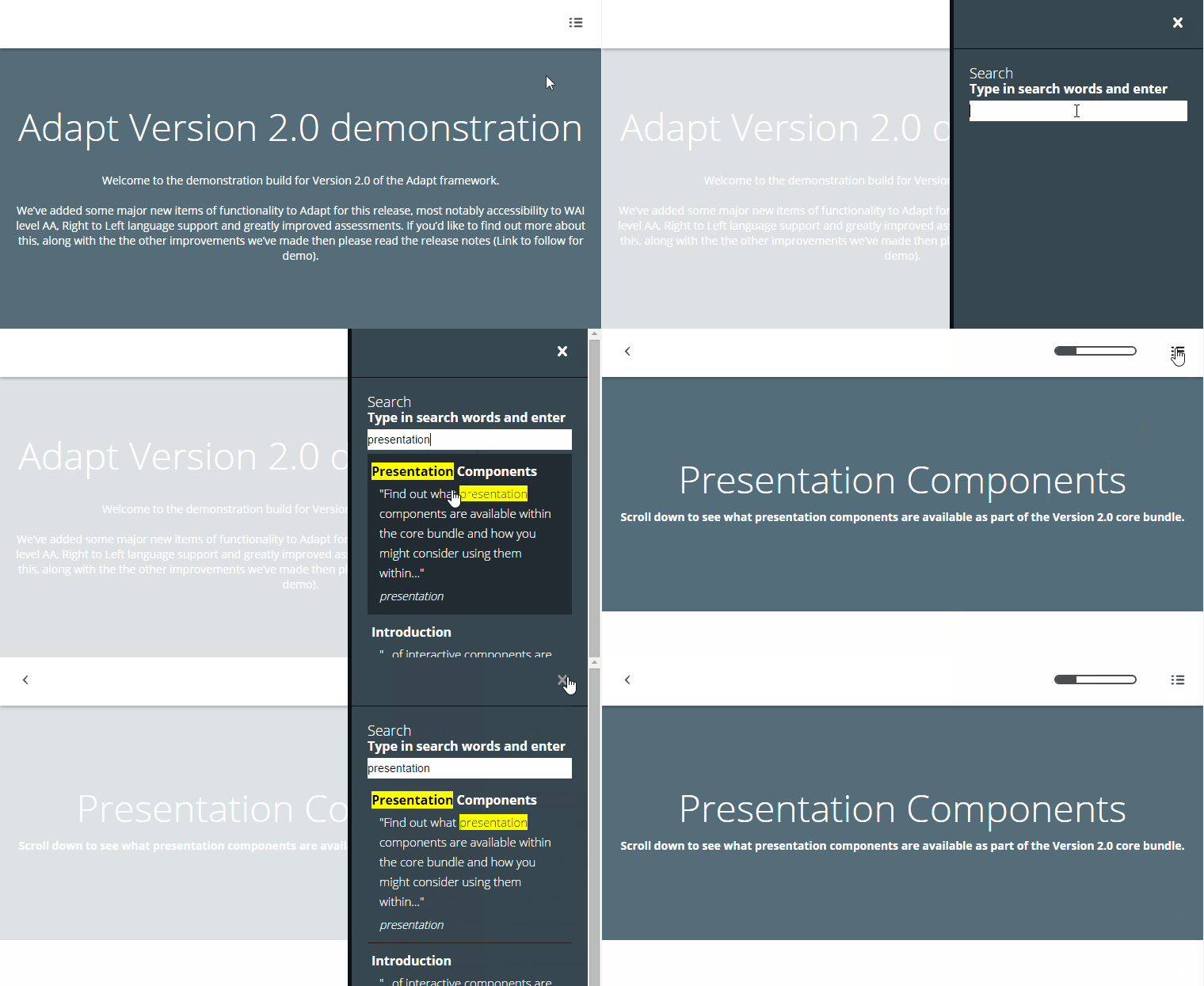
It appears in the drawer. Either as a single item or with other items, such as resources.
adapt install search
The attributes listed below are used in course.json to configure Search, and are properly formatted as JSON in example.json.
title (string): Extension title, defaults to "Search".
placeholder (string): Text box placeholder, defaults to "".
description (string): Extension description, defaults to "Type in search words".
_drawerOrder (number): Determines the order in which this extension appears as a drawer item. Acceptable values are numbers.
noResultsMessage: Text displayed when no results are found, defaults to "Sorry, no results were found".
awaitingResultsMessage: Message between having enough characters to search and having search results (More than 2 characters per word). Defaults to "Formulating results...".
_showHighlights (boolean): Show the yellow highlights on search results.
_showFoundWords (boolean): Show found words under the search results.
_previewWords (integer): The number of words taken from either side of the matching word. Defaults to 15.
_previewCharacters (integer): If the number of _previewWords cannot be found then use x number of characters. Defaults to 30.
The attributes listed below are used in contentObject.json, articles.json, blocks.json and components.json to configure Search Items, and are properly formatted as JSON in example.json.
_search (object): Object to designate search settings.
keywords array(string): An array of strings detailing the important search phrases for the course section.
No known limitations.
Version number: 2.2.3 
Framework versions: 2.0
Author / maintainer: Kineo and community with contributors
Accessibility support: WAI AA
RTL support: No
Cross-platform coverage: Chrome, Chrome for Android, Firefox (ESR + latest version), IE 11, IE10, IE9, IE8, IE Mobile 11, Safari for iPhone (iOS 7+8), Safari for iPad (iOS 7+8), Safari 8, Opera