
Visualizing Estimations
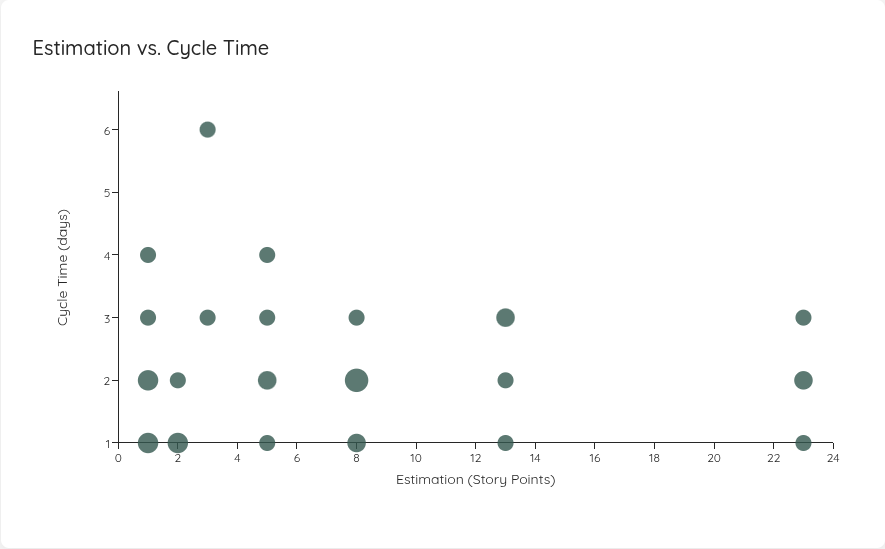
You can now configure an estimation field on your Team and Portfolio settings and visualize how estimates correlate with cycle time. Configure numeric estimates (e.g., story points) or categorical estimates (e.g., T-shirt sizes like XS/S/M/L/XL) with explicit ordering.
Once configured, a new Estimation vs. Cycle Time scatter plot appears in your Metrics tab, showing estimation values on the x-axis and cycle time on the y-axis. Click any data point to drill into the underlying work items.
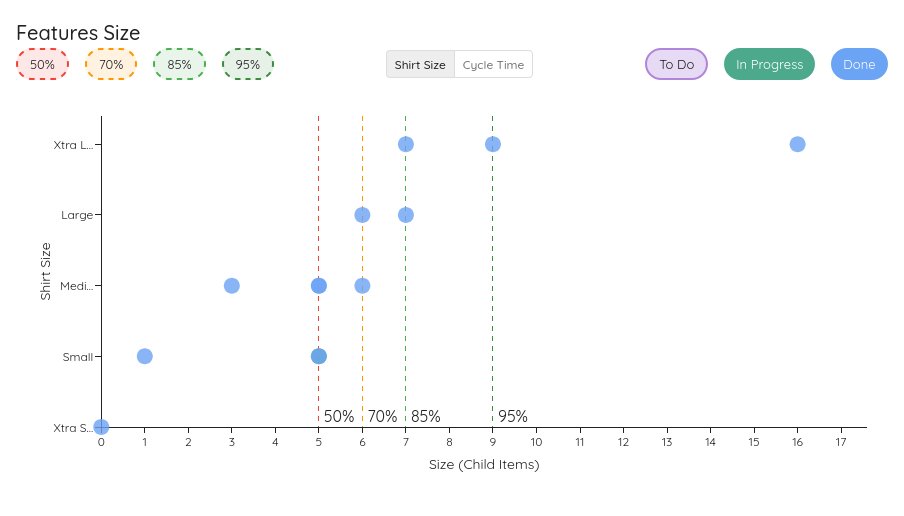
Feature Size Chart – Estimation Y-Axis Toggle
When an estimation field is configured, the Feature Size chart now lets you toggle the y-axis between estimation values and cycle time directly on the chart. If no estimation field is set, the chart continues to use cycle time as before.
Process Behaviour Chart Improvements
After releasing the PBC feature, we got some feedback and refined the functionality as follows.
You don't need to set a baseline anymore. While it's still recommended, the PBCs will show up when no baseline is set and use the selected timeframe for the metrics also as a baseline. In that case, a small info icon will appear on the chart which states the missing baseline.
For the Cycle Time PBC, we've adjusted the tooltip so that instead of the Cycle Time value, you see the specific item that is represented in that dot.
Furthermore, there is a new PBC for Portfolios for the Feature Size:
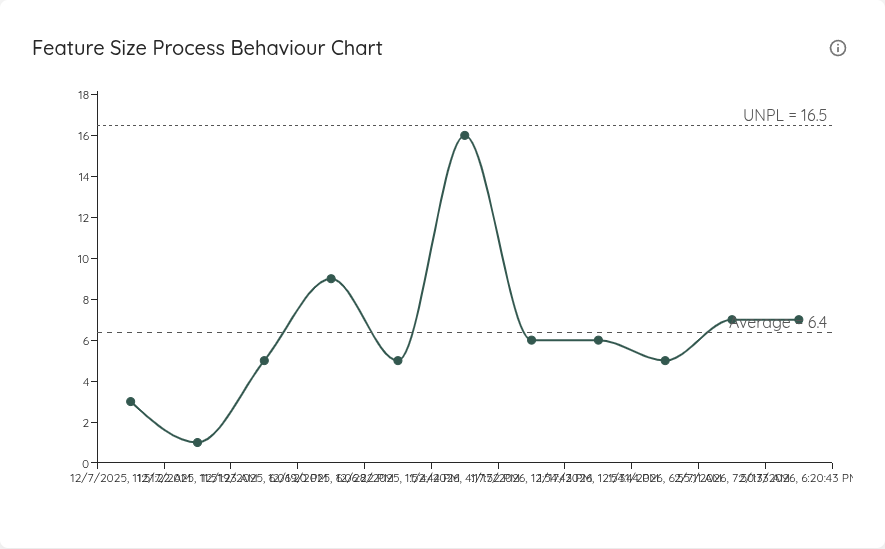
Use this to see which Features were within the normal variability, and which ones are an indication of a special cause.
Additional Field Improvements
So far, the additional fields had to match the casing specified by your Work Tracking System. This lead to situations where for example "fixVersion" and "Fix version" where valid, while "FixVersion" was not. This has changed in this version, as casing is ignored, which should make the additional field setup a lot simpler.
Furthermore, Jira Fields that can have multiple values (for example labels or fixVersions) are now stored properly. Before, Lighthouse would store a lot of additional information (the whole json object), which now is properly parsed and only the actual data is stored. If multiple values are specified in a field, Lighthouse stores it separated by ,.
Other Improvements and Bug Fixes
- You can now click on the Total Feature Progress and see the details of the work items assigned to that specific features in both the Team and Portfolio Feature View
- The Feature Tab for Teams was always disabled after selecting another tab, preventing moving back to it. This is fixed and the Features tab is only disabled, if the team has no Features assigned.
- Update of various third party dependencies
Contributions ❤️
Special thanks to everyone who contributed feedback for this release: