T3 API : API Scripts
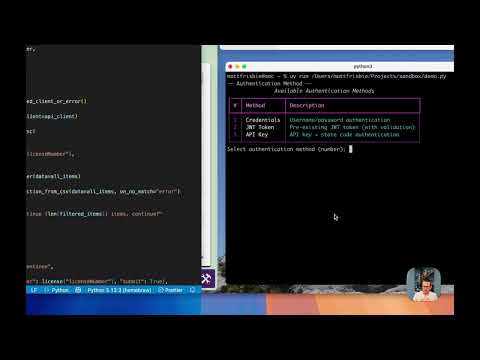
This lets you declare your dependencies at the top of the script using special comments. When run with uv run example.py, uv automatically resolves and installs those dependencies in an isolated environment.
  #!/usr/bin/env python3
  # /// script
  # requires-python = ">=3.8"
  # dependencies = [
  #     "t3api_utils",
  # ]
  # ///


  from t3api_utils.main.utils import get_authenticated_client_or_error, pick_license

  get_authenticated_client_or_error()

license = pick_license(api_client=api_client)You can install dependencies into a standard Python virtual environment managed by uv venv:
uv venv
source .venv/bin/activate
uv pip install t3api-utils
python example.py
from t3api_utils.main.utils import get_authenticated_client_or_error, pick_license
get_authenticated_client_or_error()
license = pick_license(api_client=api_client)T3 supports various Python packages to make using the API easier:
t3api is a wrapper around the entire T3 API. It allows you to authenticate and send requests in a structured way without needing to manually build HTTP requests.
t3api-utils is a collection of pre-built utilities for solving common patterns. Utilities include automatic authentication, license selection, and loading entire collections in parallel.
The documentation for this library is located here
t3py is a command line program with prebuilt commands. It can be run with t3py [<command_name>].
- Refer to the T3 API documentation to explore all the available endpoints.
- Most API endpoints require a T3+ subscription. If you don't have a T3+ subscription, you can sign up here.